







A nurse working in an ICU can receive numerous alarms throughout the day, most of which do not require any action. Thus, staff tunes out the noise, and the one alarm that matters slips past. But is this alert fatigue inevitable, or is it actually built in?

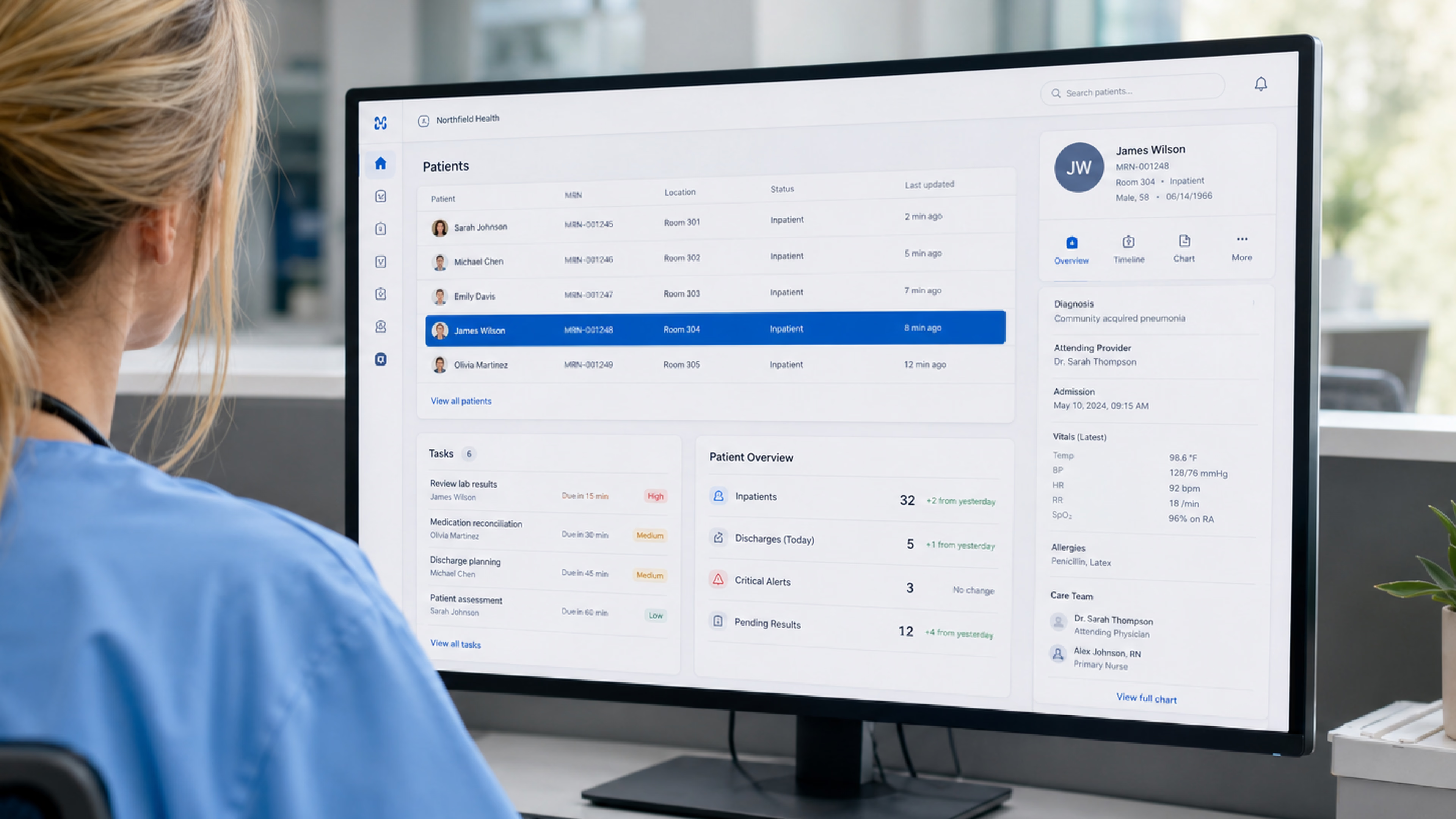
Alert fatigue occurs in healthcare when healthcare professionals are inundated with alerts to such an extent that they become exhausted and stop responding to the alerts, even the critical ones. While long shifts and many different devices add to this state, the primary cause of the problem lies in the number(s), frequency (ies), and manner of displaying clinical alarms, all of which stem from the design of clinical alarms. In this article, we explain the causes and consequences of alert fatigue, as well as ways to reduce it.
Alert fatigue lives in two systems: physiological monitoring and software. The former is all about the beeping from cardiac monitors, infusion pumps, and ventilators. The latter involves the pop-ups, reminders, and decision-support warnings inside the EHR.
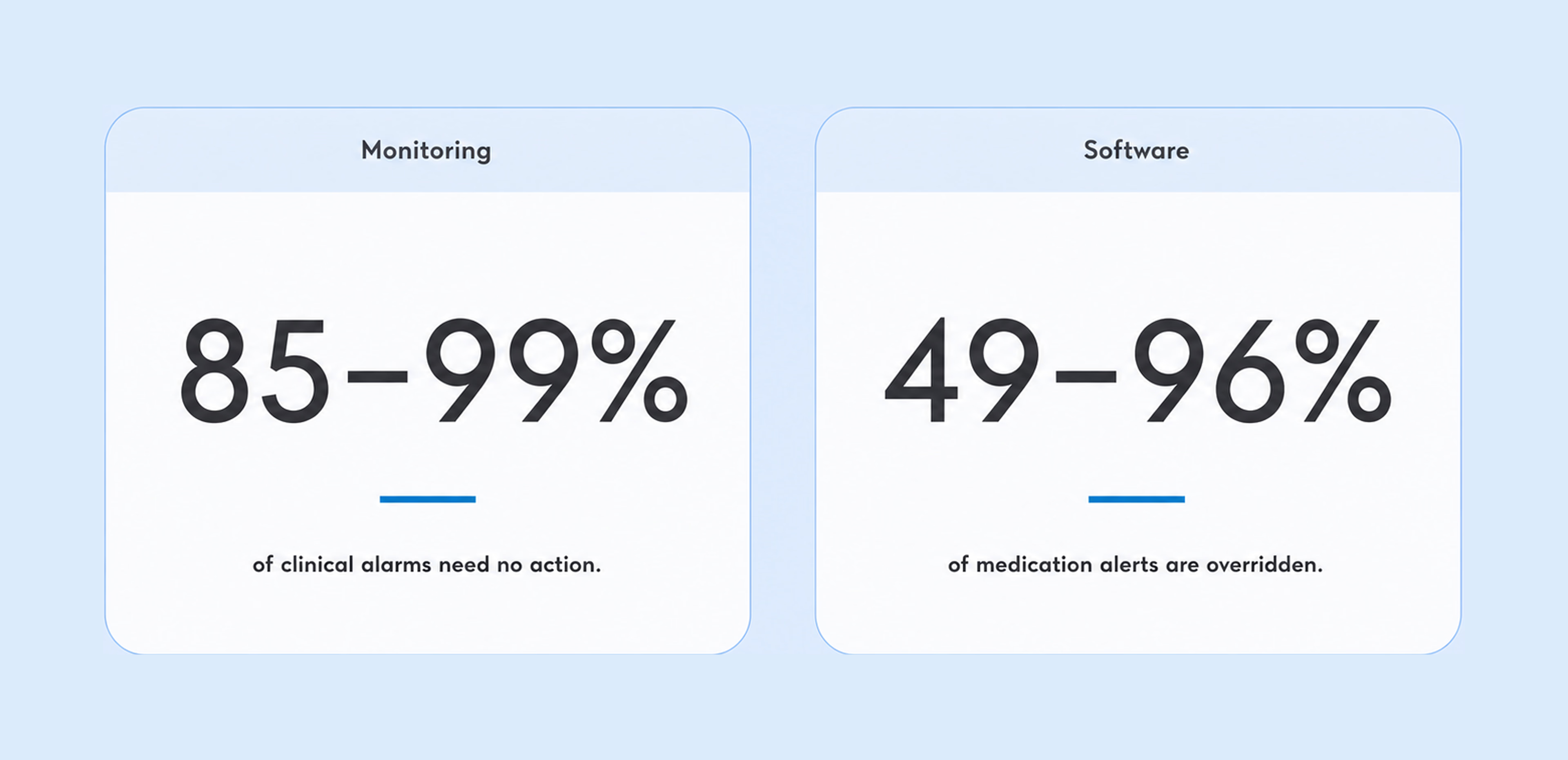
The root cause of fatigue is the same in both — a broken signal-to-noise ratio. On the monitoring side, 85 to 99% of alarm signals call for no action, by the Joint Commission’s estimate. On the software side, the research states that clinicians override 49 to 96% of medication safety alerts, with drug-interaction warnings dismissed around 87% of the time.
For example, if a user makes an error in the ordering system by creating an order that has already been ordered (duplicate therapy) or that does not meet dose requirements (dose check), the same event may generate multiple notifications in the EHR. In many cases, what appears to be a flood of notifications may just be one clinical incident counted multiple times.
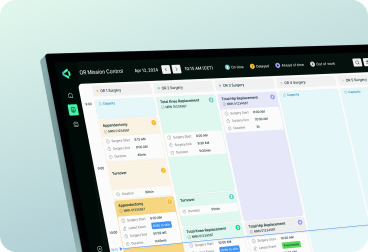
A few products resist this from the start. For example, VitVio, an AI computer-vision platform for operating rooms that Halo Lab helped shape digitally, turns real-time surgical activity into actionable insights. Instead of overwhelming teams with raw data, it automatically detects key workflow events and highlights operational issues such as delays, inefficiencies, or deviations from expected surgical flow.
Across patient monitoring and EHR workflows, five patterns show up again and again:
The mechanism underneath is habituation. When a signal is wrong nine times out of ten, the brain learns to discount it, and both response rate and response speed fall. The cost is not abstract. ECRI keeps ranking alarm and alert overload among its top health technology hazards because desensitization slows recognition and response.
{{banner}}
Once alert fatigue sets in healthcare software, it increases the likelihood of errors. But there are some ways to deal with it in the sections below.
Before you set up an alert tier or change the style of your alarms, remove the raw alert counts. Suppress duplicate alarms for a given condition and combine related alarms into a single signal. Select to have fewer default signals, and remember the least expensive type of alert is the one that does not fire.
These changes lower the overall noise level and make room for a clearer visual display, so the most important alarm has somewhere to go. A healthcare IT consulting audit can be the first step toward this kind of cognitive-load reduction.
Every time you remove an alarm from the system, it becomes one less alarm that the clinician has to worry about ignoring.
Any suppressed or downgraded alert should also be recorded in line with regulatory requirements. Each decision needs an audit trail and a clear rationale, since reducing an alarm means the clinical team has accepted responsibility for that change.
Hospitals that implement alarm policies often share the same goal: reducing weak defaults while improving nurse-patient safety. Proper documentation keeps that effort transparent, traceable, and clinically defensible.
Monitoring equipment is typically configured for general use rather than tailored to individual users. So, for example, the heart rate that signifies an emergency for one patient may simply represent a resting or baseline rate for another. Creating too broad a range allows for many alarms to occur that are not real, and creating too small a range means that when alarms do occur, their meaning is lost.
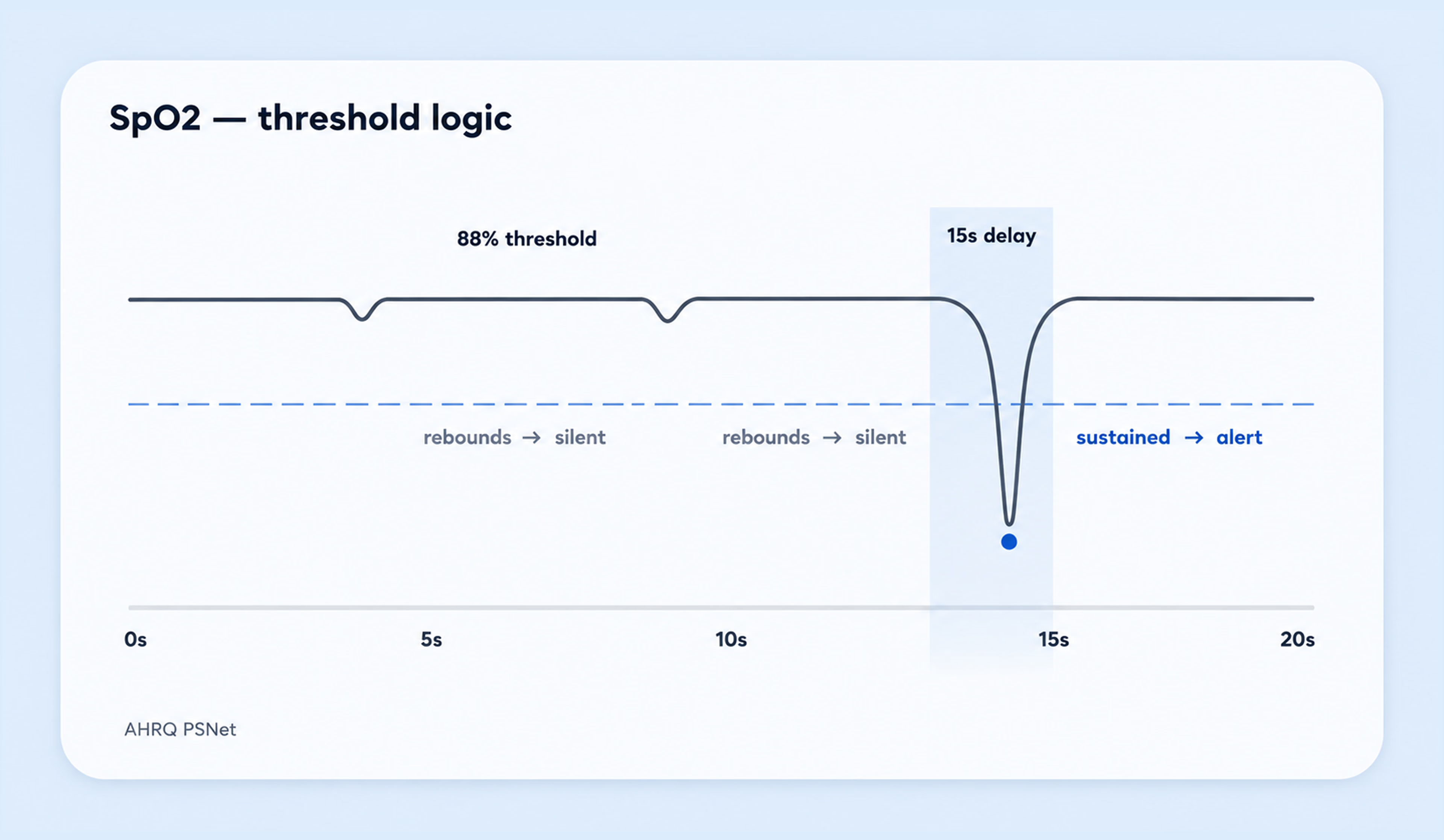
Two settings are predominantly used to make the most change: lower the negative alarm threshold limit and extend the duration alarms continue after the first audible notification. For example, lowering the SpO2 limit to 88% and extending the notification time to 15 seconds reduced the number of alarms by over 80% in a recent review.
This same principle can also be applied when evaluating software to flag clinicians about possible drug interactions with a patient. As an example, an alert occurs without regard to the patient’s chart, current orders, or history, causing an alert even when the clinician has already determined whether a drug interaction exists. Specificity is established by context, which is stored in the data model well before it reaches the clinician’s screen.
Most clinical software ships with two states: alert or no alert. In practice, that means there is no hierarchy at all. To reduce alert fatigue, the system needs a real priority model with four tiers: act now, act soon, note for later, and suppressed. Each tier should be visually distinct before anyone reads a word, which is where healthcare UI/UX design becomes part of the safety logic.
This is what a true four-level priority system looks like:
Also, rank the findings by action requirement and deadline. A serious finding that doesn’t require action right now will be lower priority than a minor finding that must be acted on in sixty seconds.
A priority level indicated solely by color does not meet WCAG 1.4.1, which states that color should not be the only visual way to convey information, status, or required action. That is why priority should be encoded through several channels at once: position, motion, persistence, size, and a word.
Medical alert systems follow this same principle by combining distinct visual and auditory cues to convey urgency. Clinical software should do the same: layering multiple indicators ensures each priority level is instantly recognizable, even when the user is tired, interrupted, or working in a high-stress environment.
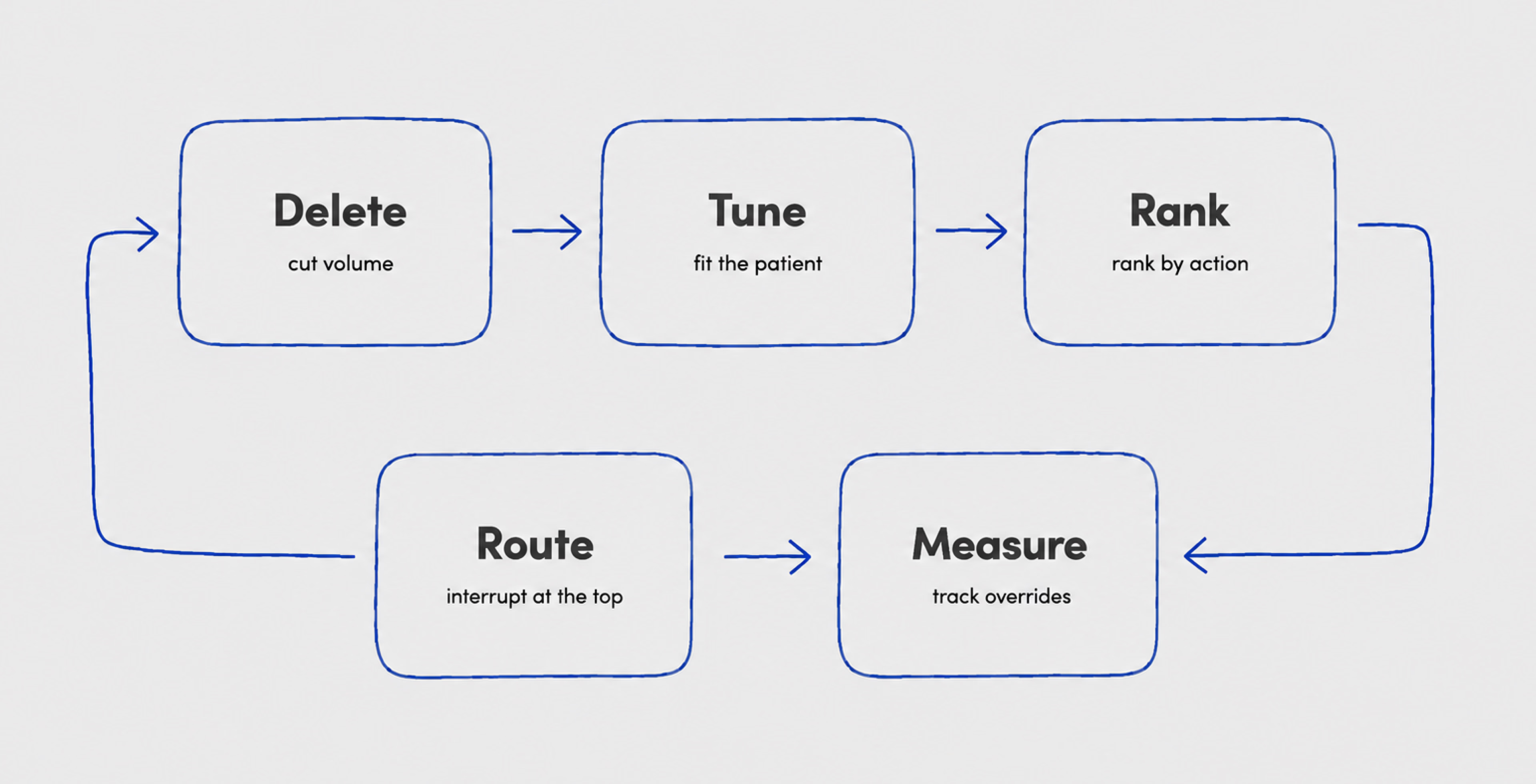
As you already know, an alert that interrupts at the wrong moment teaches the clinician to ignore the next one. Only one act-now alert should be shown at any time; the rest must be ranked, so there is no stacking on-screen between two fires.
In one large inpatient review, about 73% of alerts were overridden, and 40% of those overrides were judged inappropriate. Warnings of low value constantly block other warnings that are worthy of attention, so the act-now alarms get the same response.
Repetition is not an effective form of escalation. If an act-now alert goes unaddressed after its initial presentation, it should be routed to a second clinician through a different channel. Simply repeating the same alert, even in another format, reinforces the same response pattern that led to the initial override.
Metrics for the override rate should be treated as product metrics, weighted by the override rate. The total count of alarms that go off is a vanity number; what matters is:
Have a cutoff line for when to delete or retune alert types based on an override rate greater than 9 out of 10; alert types that exceed this do not get to stay “live.” Adjusting system defaults can reduce the volume of alerts, but it does not necessarily change how users perceive or respond to them. Behavioral patterns tend to persist unless the system continues to adapt based on actual usage. Sustainable improvement depends on ongoing feedback, such as override data, rather than one-time interventions. This way, the system evolves in response to real-world interaction.
On the other side, an alert system that is not continually measured will drift back to noise within a few months. There is a direct correlation between staff wellbeing and alert systems. In a national survey published in Mayo Clinic Proceedings, physicians rated their EHR systems an average of 45.9 on the System Usability Scale (SUS), indicating a poor rating that fell within the bottom 9% of all software across industries. The result is that for every increase in SUS, there is a 3% reduction in burnout based on that rating.
That is why alert optimization should be part of a broader clinical UX process, much like the one we outline in our clinical AI UX checklist: reducing cognitive load, improving signal precision, and measuring real-world system behavior after launch.
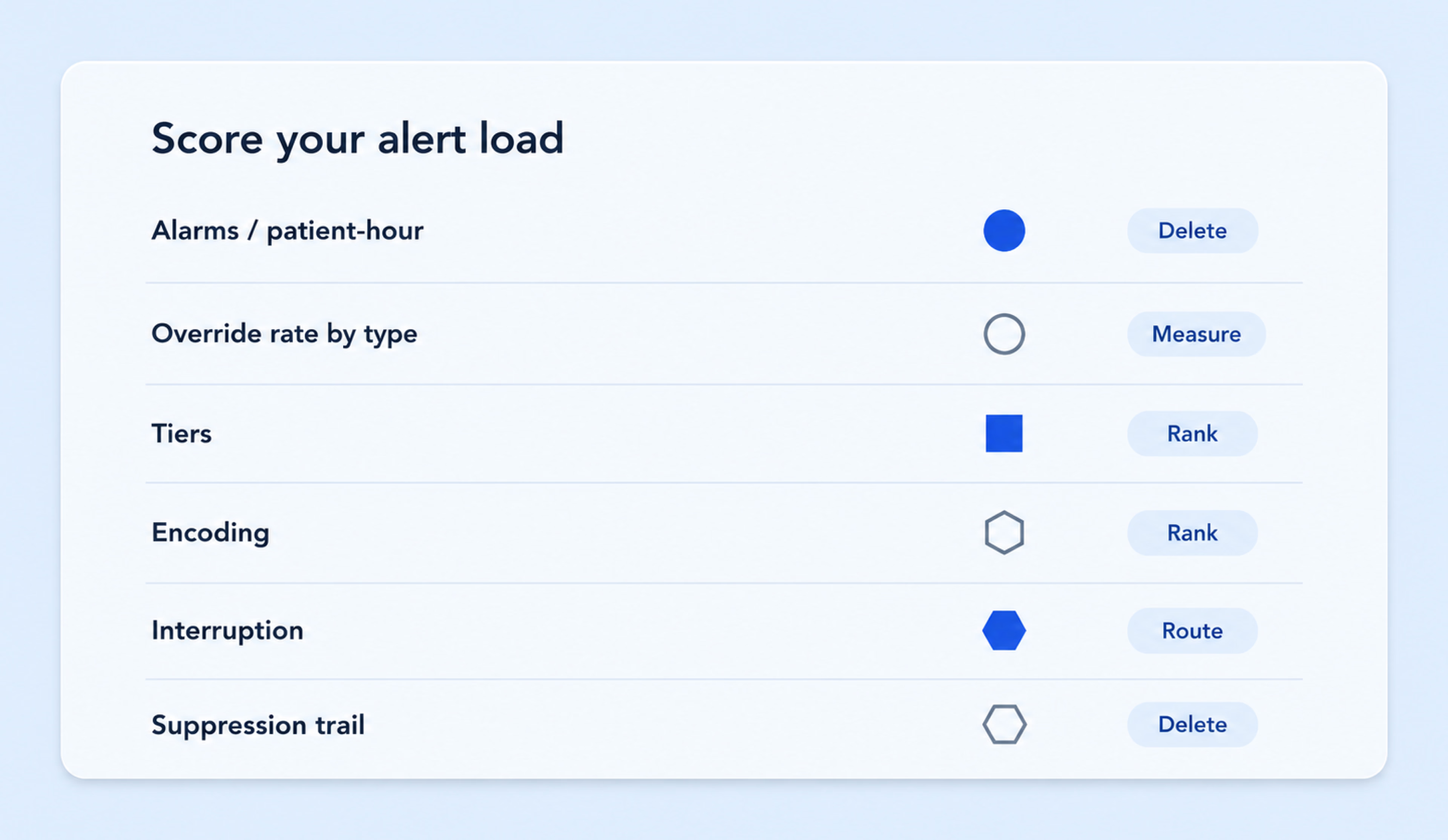
Having read all the recommendations in the previous sections, you can now run your product through six questions:
Three or more weak answers usually mean the problem is structural, not cosmetic. That is good news, because structure is fixable in a sprint or two.
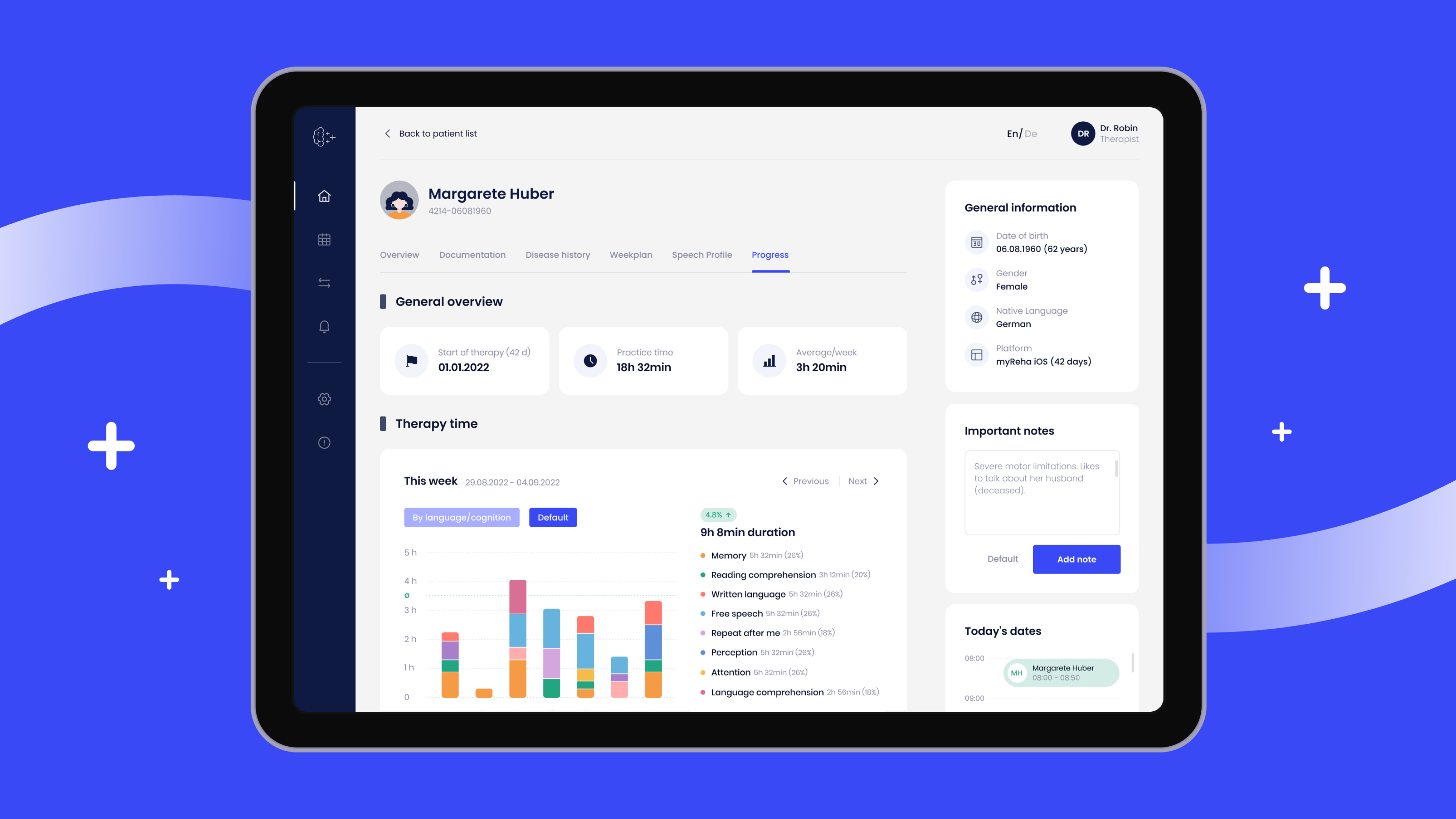
nyra health builds digital neurorehabilitation tools used across rehabilitation clinics in Europe, with a clinician dashboard, nyra insights, alongside the patient app. As the platform grew, therapists had to make too many clicks to reach the patient data that mattered most. The signal was there; it was buried.
At Halo Lab, we redesigned the experience with one principle in mind: clinicians should be able to read a patient’s status in seconds, not clicks. Our team grouped patient information into clear categories, added a visual complaint-tagging system, and built a single-day view that cuts cognitive load for therapists scanning a full caseload. Less competing for attention, so the important thing reads first.
The redesign produced a 16% increase in platform engagement. The lesson transfers straight to alerts. A dashboard and an alarm panel solve the same problem: surface the signal that matters, and push everything else down where it belongs.
Deleting first is standard practice, but there are exceptions. In settings where missing a critical signal is far more costly than a false alarm, filters should be set to higher sensitivity. This means accepting more noise while relying on strong prioritization and routing to keep critical alerts clear, rather than removing alerts altogether.
There are certain regulated alarms that can not be legally muted, such as dosing and drug interaction alarms, so your focus will be on specificity and presentation, not deletion. If analytics data is not available yet, start with changes that do not require deep instrumentation. Merge duplicate alerts first, then use override rates, response times, and real-world behavior to guide further tuning once the data exists.
Every alarm that does not fire and every pop-up that waits its turn buys back a sliver of a clinician’s attention. If you spend that attention well, the system earns trust, and trust is what makes the alarm that matters get heard.
Reducing alert fatigue is ultimately product work. It involves what the clinician sees, what the system suppresses, what gets logged, what gets measured, and how the product changes after real use. That makes it a natural part of healthcare software development: not adding more alerts, but building systems that know when to stay silent — and when it truly matters, speak up.
{{banner-2}}
It is the point at which clinicians face so many alerts that they stop responding to them, including the urgent ones. It happens with both equipment alarms and software warnings, and it lowers patient safety because a real signal gets lost in the noise.
The main causes of alarm fatigue in healthcare are sheer volume, thresholds set for a population instead of the patient, no priority hierarchy, low-stakes alerts that interrupt workflow, and alert rules that are never reviewed after launch.
Because most alerts are not relevant to the case in front of them. The reflex to dismiss then carries over to the alerts that matter.
Start by deleting duplicate and redundant alarms; then tune thresholds for each patient; rank alarms by the action they require; reserve interruptions for the top tier; and review override data regularly. In the ICU, weight the tuning toward sensitivity for the most dangerous events.
Yes. When clinicians grow desensitized, they respond more slowly or miss alarms entirely, which is why regulators and safety bodies track it. Reducing low-value alerts is one of the more direct ways to protect both patients and staff.