

Your first Prismic query is a one-liner. By the time you get to your tenth, you’re juggling multiple conditions, extra requests, and even some client-side sorting to make up for what the API didn’t handle. Everything still works, but it feels more complicated than it needs to be.


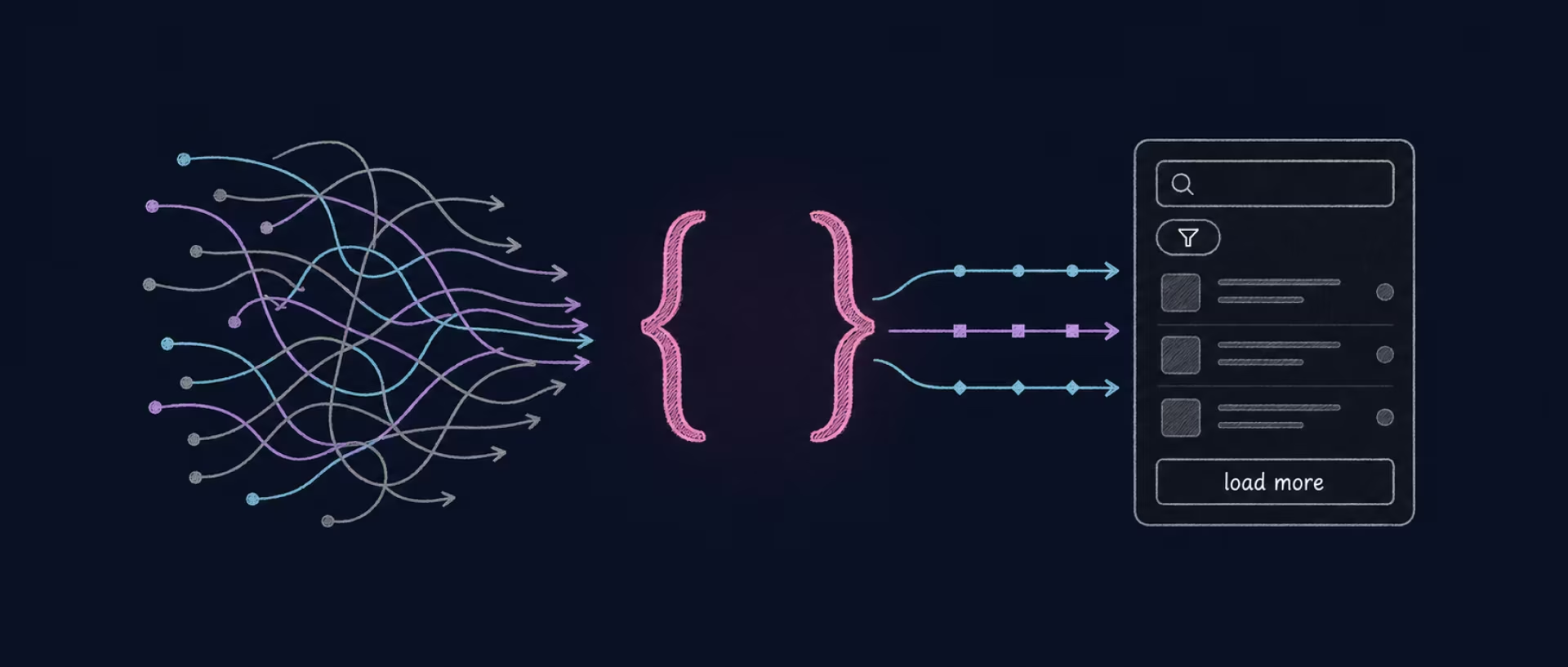
That weight is what Prismic’s GraphQL API removes. In this article, we’ll look at when GraphQL beats REST in Prismic, how Prismic’s schema is generated, and how to build a real list UI using React and Apollo Client.
{{banner}}
Why consider GraphQL with Prismic?
If you’ve built apps with Prismic’s REST API, you may start to notice its limitations as your queries and content relationships become more complex. The friction usually appears in three areas:
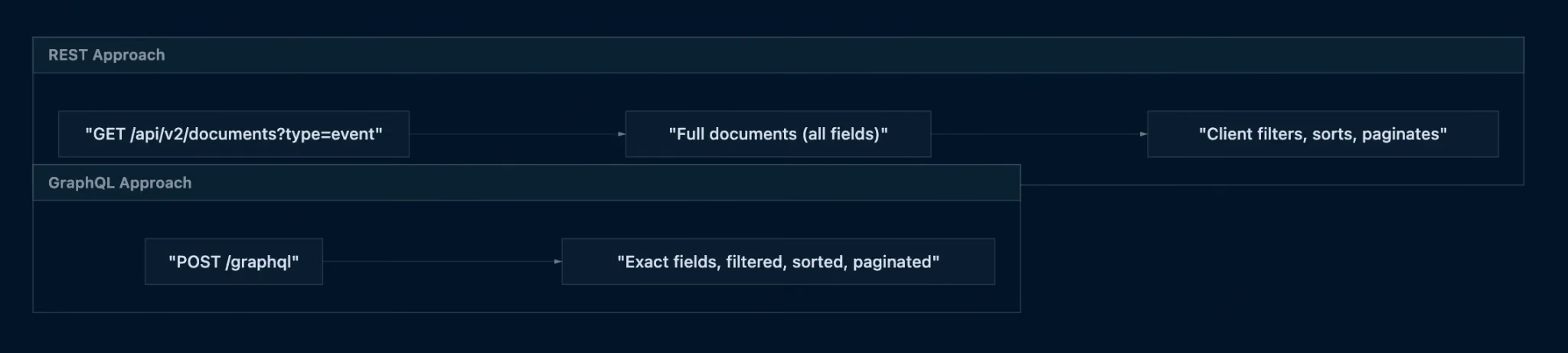
- You can’t ask for less than the whole document. You need a title and a date for a list card. The API returns every field, every slice, every nested group. On a list of 30 events, that’s kilobytes of slice data your UI will never render. GraphQL’s whole premise is that the query, not the endpoint, decides the shape of the response.
- The server won’t shape the result for you. Filtering, sorting, and pagination mean juggling predicates, firing multiple requests, or writing client logic to stitch the pieces back together. GraphQL moves that work back to one request, filtered, sorted, and paginated before it reaches you.
- Related content costs an extra round-trip each. Fetch the events. Then the venues. Then the speakers. Then the categories. One list render becomes four sequential requests, and the last three can’t start until the first resolves. With GraphQL, all the related data is fetched in one go, so that chain reaction never happens.
None of these limitations is likely to matter on a small, five-page marketing site. But as your content model, relationships, and UI grow, the extra data and requests become harder to ignore. For a broader look at where the platform fits, see our guide to Prismic CMS and its real-world capabilities.
What GraphQL changes in practice
Prismic’s GraphQL API lets you send one query and request exactly the data shape you need. In a single call, you can combine:
- Filtering — narrow by field values;
- Sorting — order by any top-level field;
- Cursor-based pagination — relay-style first / after;
- Nested linked content — an event with its venue, resolved server-side.
While the server does the heavy lifting, your client code gets simpler and more predictable. Why does it matter? As a rule, predictable data shapes are what let you type your components properly and stop writing defensive checks everywhere.
Real-world examples: when Prismic + GraphQL shine
Prismic and GraphQL fit together when your app needs filterable, searchable content managed by non-developers. That combination works well in:
- Event calendars — filter by date and category;
- Job boards — role, location, remote;
- Real estate listings — price, bedrooms, neighborhood;
- News sites — topic, date, author;
- Learning platforms — courses by skill, instructor, date.
In each of these, editors manage content and tags in Prismic, while the frontend queries efficiently (filtering, sorting, pagination, and full-text search) without N+1 calls or oversized payloads.
When “fetch everything” stops working, GraphQL proves its worth by handling complex, connected data while keeping your code clean and fast.
Prerequisites and setup
Before getting started, note that everything below is built on this repository using React, Apollo Client, and Prismic GraphQL. Clone it if you want to follow along with working code. By the end, you’ll have Event content in Prismic and a React app that queries it through Apollo Client.
Prismic repository and content model
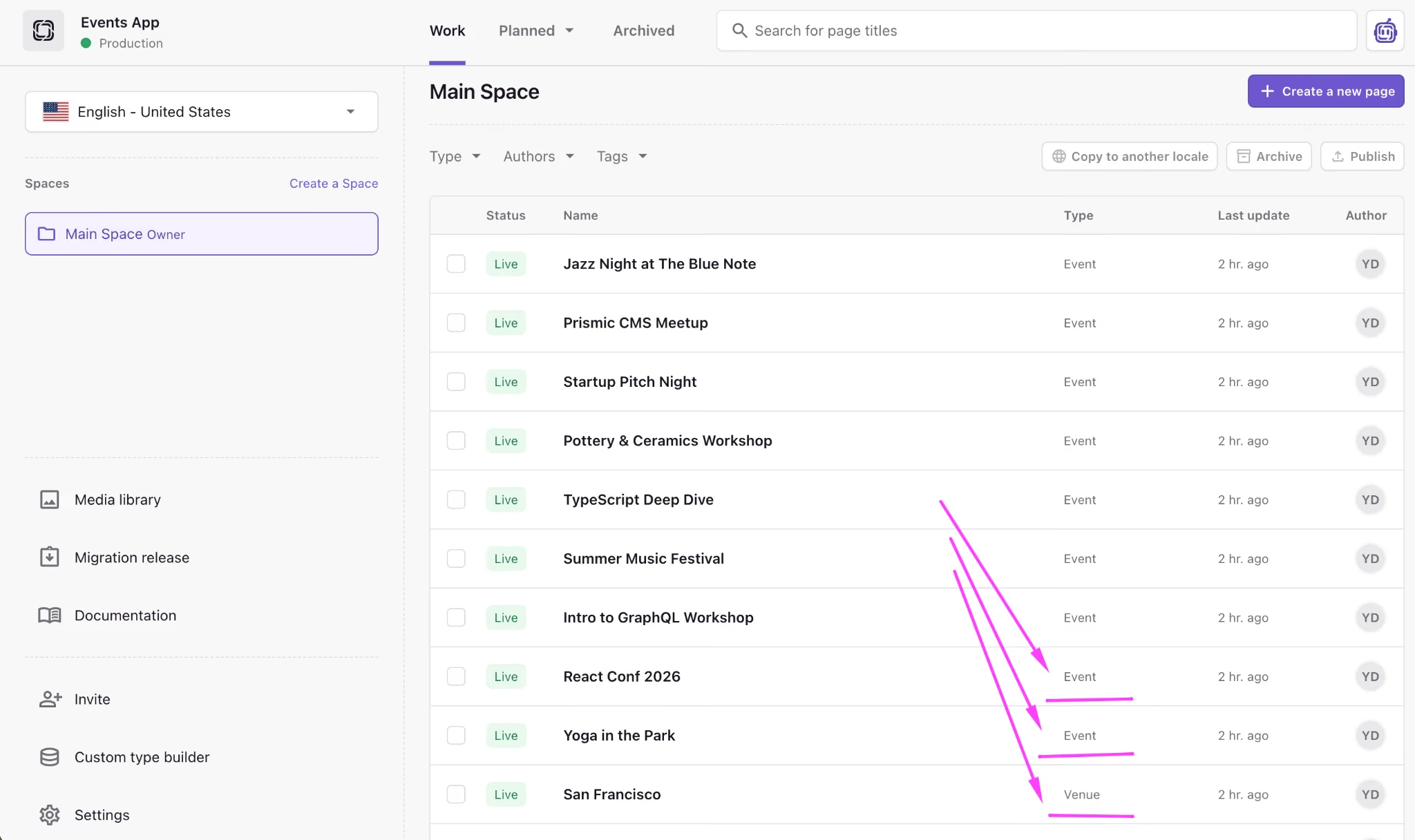
First, create a Prismic repository and define an Event custom type on prismic.io.
After that, add document tags for event categories, for example, tech, music, conference. Tags are worth setting up carefully at this stage because they’re the dimension you’ll lean on for category filtering later (via tags_in). Obviously, renaming them after editors have tagged a hundred documents is a pretty bad and time-consuming idea.
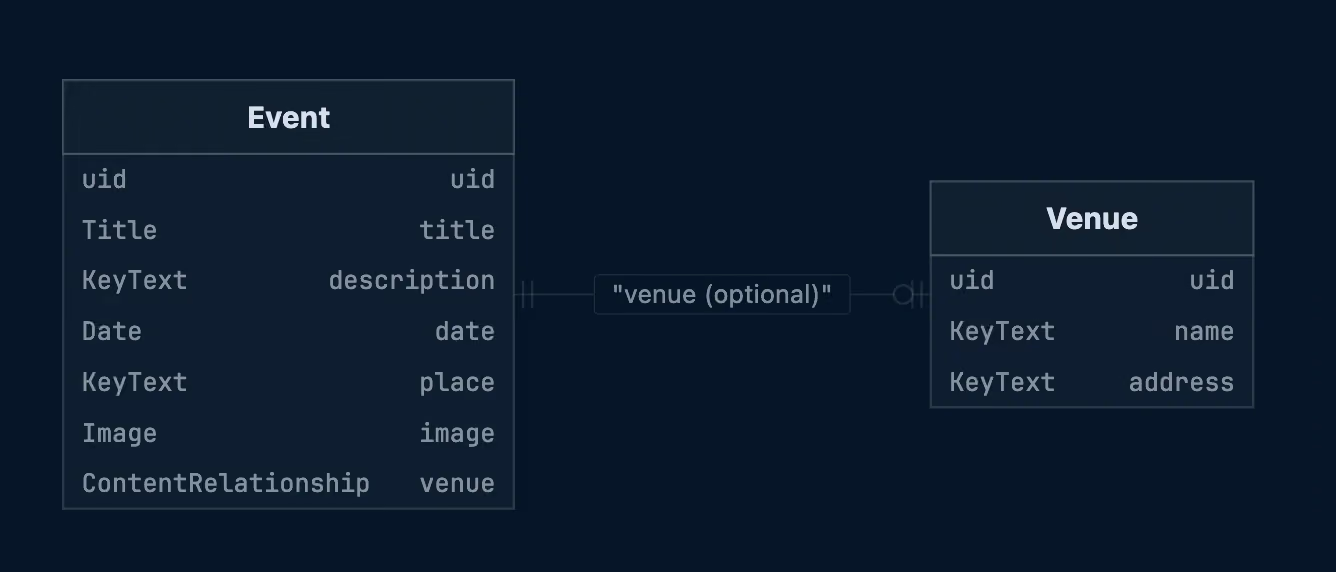
The next step is optional. But if you choose to take it, it unlocks the most interesting query later (fetch event + venue data in a single GraphQL query). It comes down to adding a Venue type and connecting it to an Event using a Content Relationship field.
Finally, publish several events with different dates and tags. Without varied data, your search, sorting, and filtering queries will all return the same thing, and you won’t be able to tell whether they work. For the full reference, see Prismic’s GraphQL API documentation.
App stack and Apollo Client
The demo app runs on React (Vite) + Apollo Client + GraphQL + @prismicio/client + @prismicio/react (helper components) + Tailwind. Most of that list is standard React tooling. The interesting part is the handshake between Apollo and Prismic, because the two weren’t built to talk to each other out of the box.
Four pieces of that setup do the actual work of connecting Apollo to Prismic, and each one exists for a specific reason:
- prismic.createClient(...) creates a Prismic client from your repository name.
- prismic.getGraphQLEndpoint(repositoryName) returns the correct GraphQL API URL for Apollo’s HttpLink.
- fetch: prismicClient.graphQLFetch adds the required Prismic headers (for example, Prismic-ref) and handles authentication automatically. Swapping in a plain fetch here is a common way to encounter unexpected authentication errors.
- useGETForQueries: true matters more than it looks. Prismic’s GraphQL CDN expects GET requests for queries. Without this option, Apollo sends POST requests, which commonly result in HTTP 400 errors.
- InMemoryCache + relayStylePagination(['fulltext','sortBy','where']) lets Apollo merge cursor-based pages when queries share the same values for those arguments. This is what makes a “load more” button append results rather than replace them.
Here’s how it comes together in your root component:
// Replace with your Prismic repository name
const repositoryName = 'events-graphql-app'

const prismicClient = prismic.createClient(repositoryName, {
  // If your repository is private, add an access token
  accessToken: import.meta.env.PRISMIC_ACCESS_TOKEN ?? '',
})

const apolloClient = new ApolloClient({
  link: new HttpLink({
    uri: prismic.getGraphQLEndpoint(repositoryName),
    fetch: (input, init) => prismicClient.graphQLFetch(input as RequestInfo, init),
    useGETForQueries: true,
  }),
  cache: new InMemoryCache({
    typePolicies: {
      Query: {
        fields: {
          allEvents: relayStylePagination(['fulltext', 'sortBy', 'where']),
        },
      },
    },
  }),
})
Pro tip: For private repositories, pass the access token into createClient. Keep it in an environment variable — the GraphQL endpoint is public, the token is not.
GraphQL basics: how Prismic builds your schema
Before adding filters and pagination, it helps to understand how Prismic structures its GraphQL schema. In essence, it generates a schema from your custom types, which means the field names in your queries come from the API IDs you chose in the content model.
Pro tip: You can explore the exact field names in your repository’s GraphQL Explorer. This is the fastest way to check a generated name instead of guessing at it.
Root fields and naming
For a custom type with an API ID event, Prismic exposes three main query fields:
- event(uid, lang) — fetch a single document by UID and locale;
- allEvents(...) — fetch a list of documents using a connection;
- _allDocuments(...) — query across all custom types.
The allEvents query accepts the arguments we’ll build on: fulltext, where, sortBy, and pagination cursors. Together, they cover search, filtering, sorting, and pagination in a single request.
Pro tip: If a custom type doesn’t include a uid field, Prismic won’t generate the single-document query — there’ll be no event(uid: ...) at all. Add a UID when you need per-slug queries.
Lists: the connection shape
allEvents returns results in a Relay-style connection. If you’ve worked with GitHub’s or Shopify’s GraphQL APIs, this will look familiar. Generally, a connection includes:
- totalCount — number of matching documents;
- pageInfo — pagination metadata;
- edges → node — the actual documents.
Each node contains your content fields plus a _meta object with id, uid, tags, and locale.
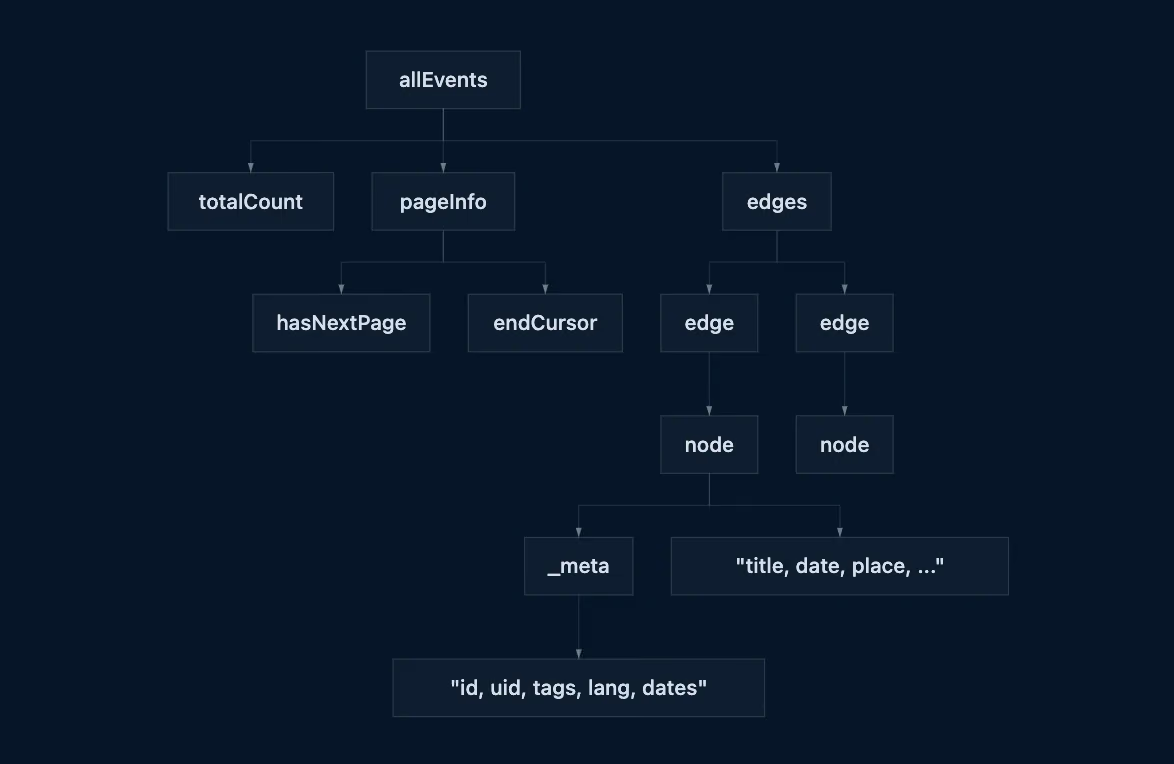
The extra nesting feels verbose at first, but it enables cursor-based pagination. Each edge carries a position in the result set, which is what lets the server hand you the next page without having to start from zero.
One event by UID
In case you need to fetch a single event, use the event query with a uid as shown below:
const EVENT_BY_UID = gql`
  query EventByUID($uid: String!, $lang: String!) {
    event(uid: $uid, lang: $lang) {
      _meta {
        id
        uid
        tags
      }
      title
      description
      place
      image
      date
    }
  }
`
In the demo app, this backs the Event Detail view.
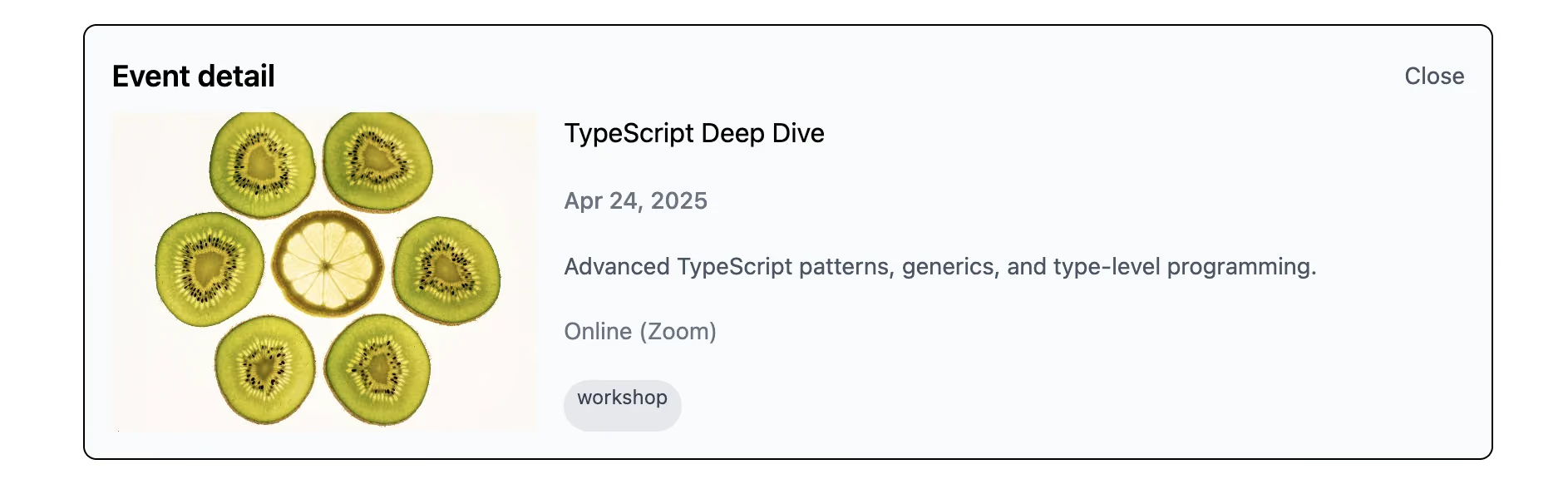
For now, we’re only requesting the event’s own fields. We’ll extend this query with linked venue data later.
All events (minimal)
When you need to see every event, unfiltered and unsorted, a basic list query must use allEvents:
const ALL_EVENTS = gql`
  query AllEvents {
    allEvents {
      edges {
        node {
          _meta {
            id
            uid
            tags
          }
          title
          description
          place
          image
          date
        }
      }
    }
  }
`
And this leaves you with the following result:
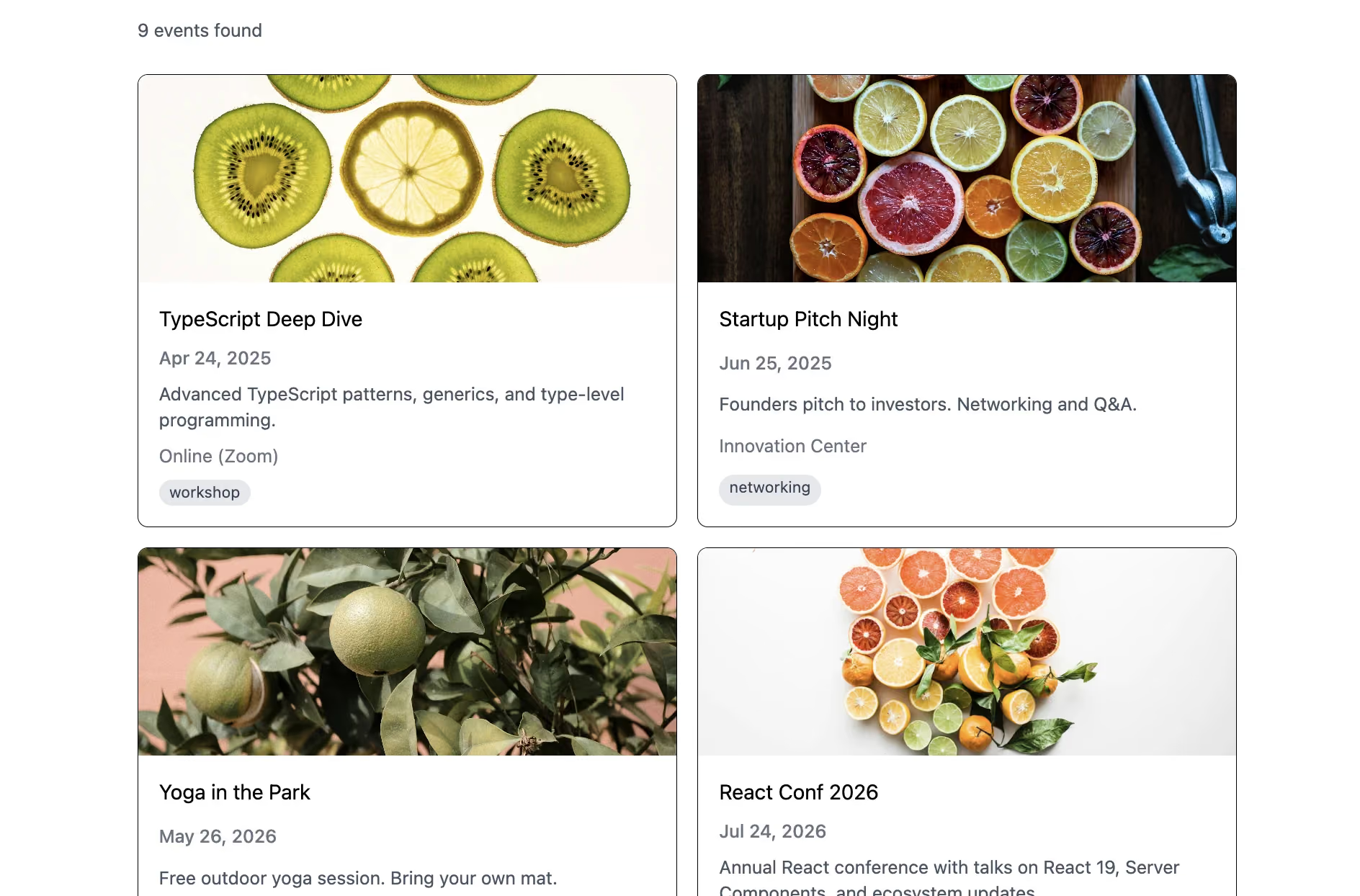
In the next section, we’ll extend this query to support:
- search;
- tag filtering;
- sorting;
- cursor pagination.
Complex queries: filter, sort, paginate
At this point, Prismic GraphQL earns its place in a list UI. The allEvents query accepts several arguments, and they combine in one request:
- fulltext — search text fields;
- where — field filtering;
- sortBy — sorting;
- first / after — cursor pagination.
Alongside your results, it returns list metadata, where pageInfo tells you whether there’s another page to load, and totalCount tells you how many matches exist in all. Our next objective is to look at each of the four arguments in detail.
Full-text search (fulltext)
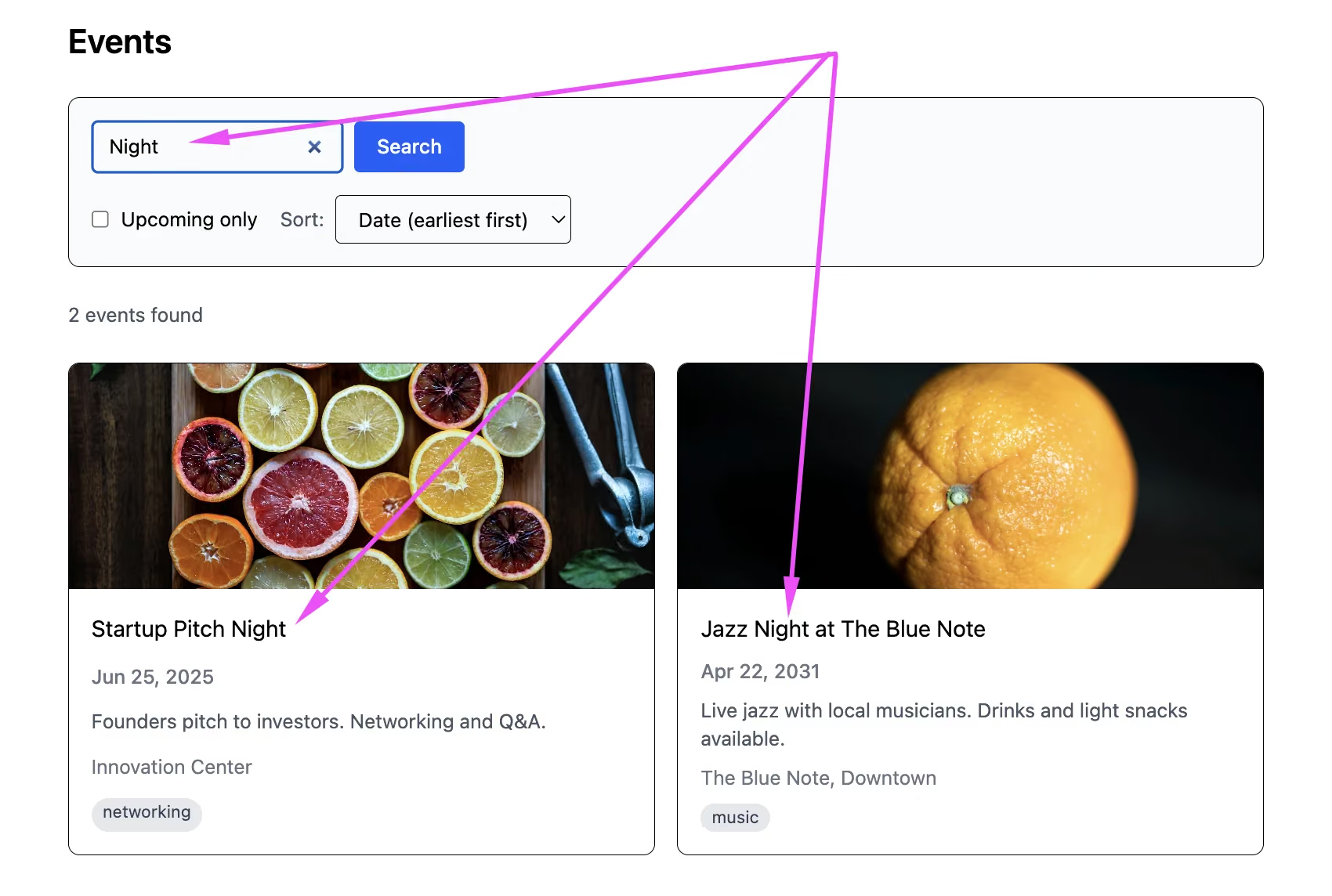
Let’s start with fulltext. It searches across the document’s text fields, and here is an example of the process:
const ALL_EVENTS_SEARCH_FILTER = gql`
  query AllEventsSearchFiltered(
    $fulltext: String
  ) {
    allEvents(
      fulltext: $fulltext
    ) {
      totalCount
      edges {
        node {
          _meta {
            id
            uid
            tags
          }
          title
          description
          place
          image
          date
        }
      }
    }
  }
`
In the demo app, the search input maps straight to the query variable — no debounce gymnastics, no client-side filtering pass. What’s more, fulltext matches whole words or phrases, not substrings. Searching work will not match workshop. If your users expect substring behavior, tell them otherwise — or reach for a dedicated search index.
Filtering with where (dates)
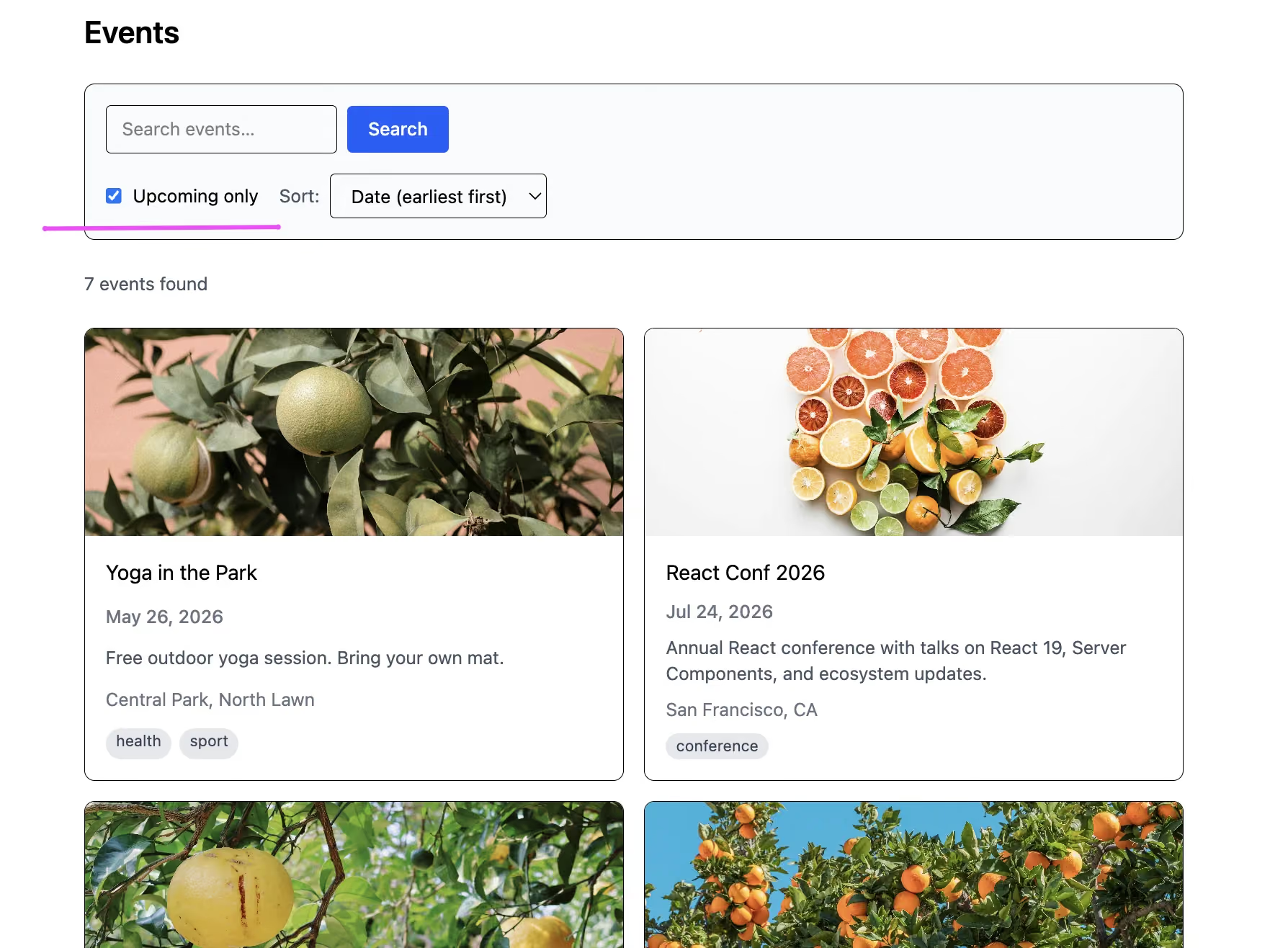
Next, the where argument filters documents using a generated input type — for our Event type, that’s WhereEvent. Common date predicates include date_after, date_before, and date. An “upcoming events only” toggle then becomes a memoized variable. In practice, it looks like this:
const ALL_EVENTS_FILTERED = gql`
  query AllEventsFiltered(
    $fulltext: String
    $where: WhereEvent
  ) {
    allEvents(
      fulltext: $fulltext
      where: $where
    ) {
      totalCount
      edges {
        node {
          _meta {
            id
            uid
            tags
          }
          title
          description
          place
          image
          date
        }
      }
    }
  }
`
const where = useMemo(
() =>
upcomingOnly
? { date_after: new Date().toISOString().replace(/\.\d{3}Z$/, '+0000') }
: undefined,
[upcomingOnly]
)Here you need to remember two things. First, use Prismic’s date format — YYYY-MM-DDTHH:MM:SS+0000. Second, where only works on top-level fields of a custom type. It cannot filter inside Groups, Slices, or Content Relationships. This is the single biggest constraint to design around — if you need to filter by something, it has to live at the top level of the document.
Sorting (sortBy)
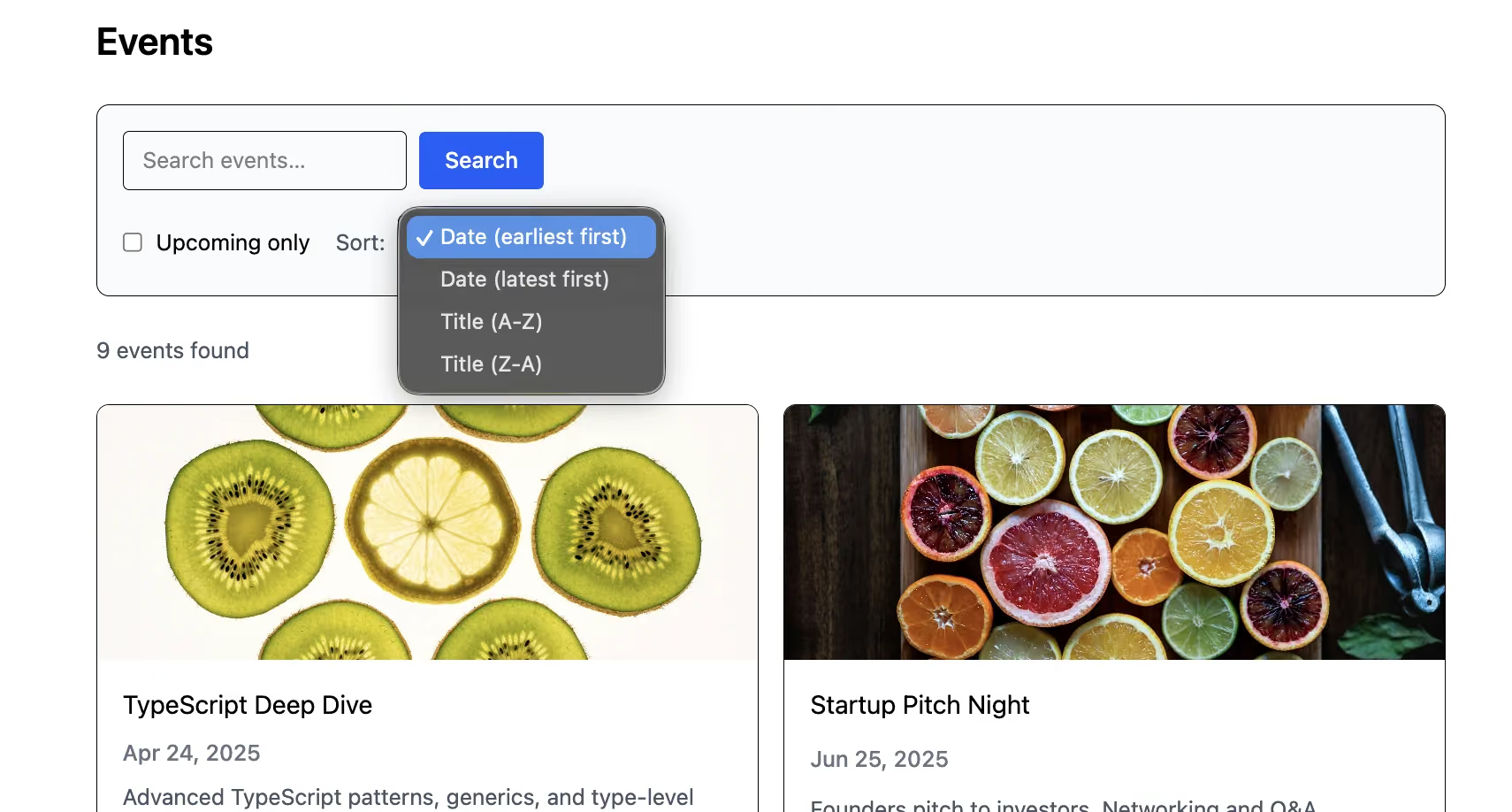
For the third argument sortBy, Prismic generates sorting enums from your custom type’s fields like:
- date_ASC / date_DESC
- title_ASC / title_DESC
- meta_firstPublicationDate_DESC
const ALL_EVENTS_FILTERED = gql`
  query AllEventsFiltered(
    $fulltext: String
    $sortBy: SortEventy
    $where: WhereEvent
  ) {
    allEvents(
      fulltext: $fulltext
      sortBy: $sortBy
      where: $where
    ) {
      totalCount
      edges {
        node {
          _meta {
            id
            uid
            tags
          }
          title
          description
          place
          image
          date
        }
      }
    }
  }
`
While enum and input type names are generated from your custom type’s API ID, they won’t always look the way you’d expect. Thus, copy the exact name out of the GraphQL Explorer rather than guessing. If everything is done properly, your sorting looks like this:
Cursor pagination
Prismic GraphQL uses Relay-style cursor pagination. The arguments are first (how many items to load) and after (the cursor from the previous page). The metadata you need back is pageInfo.endCursor, pageInfo.hasNextPage, and totalCount. The load-more handler passes the current cursor along with every other active variable:
const ALL_EVENTS_FILTERED = gql`
  query AllEventsFiltered(
    $fulltext: String
    $sortBy: SortEventy
    $first: Int
    $after: String
    $where: WhereEvent
  ) {
    allEvents(
      fulltext: $fulltext
      sortBy: $sortBy
      first: $first
      after: $after
      where: $where
    ) {
      totalCount
      pageInfo {
        hasNextPage
        endCursor
      }
      edges {
        node {
          _meta {
            id
            uid
            tags
          }
          title
          description
          place
          image
          date
        }
      }
    }
  }
`

const handleLoadMore = useCallback(() => {
  const pageInfo = data?.allEvents?.pageInfo
  if (!pageInfo?.hasNextPage || !pageInfo?.endCursor) return
  fetchMore({
    variables: {
      after: pageInfo.endCursor,
      fulltext: searchTerm || undefined,
      sortBy,
      first: PAGE_SIZE,
      where,
    },
  })
}, [data?.allEvents?.pageInfo, fetchMore, searchTerm, sortBy, where])
Note that it re-sends fulltext, sortBy, and where — not just the cursor. A cursor is only meaningful within the result set that produced it.
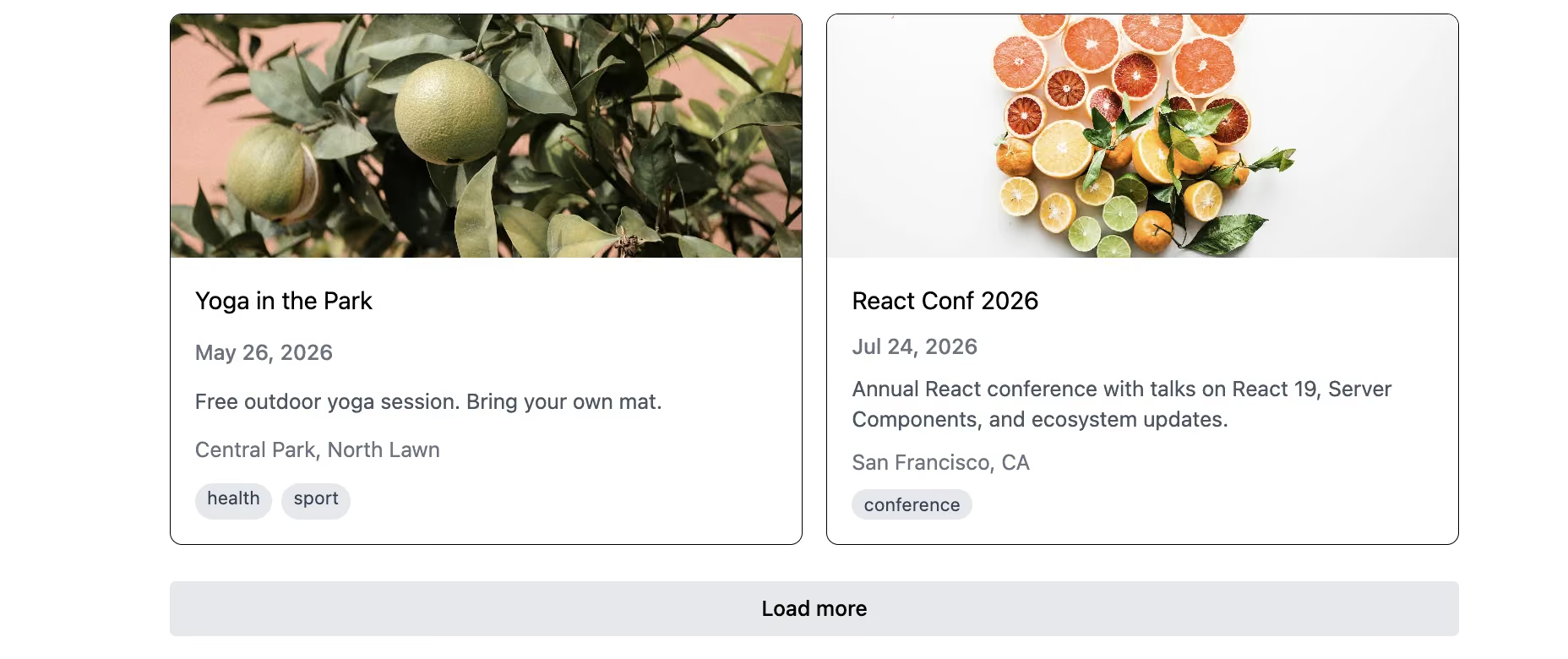
Pro tip: Configure relayStylePagination with the variables that change the result set (fulltext, sortBy, where). Skip this, and Apollo will happily merge page 2 of one filter into page 1 of another.
Putting it together
All of these arguments can live on the same query: fulltext, where, sortBy, first, after, and tags_in. The demo app wires search, filtering, sorting, and load-more pagination into one useQuery call. What’s crucial is that Prismic GraphQL does not support a general OR across arbitrary fields. For tags, tags_in: ["tech", "music"] matches any of those tags, which covers the common case. More complex OR logic usually requires multiple queries or client-side filtering.
Content relationships and unions
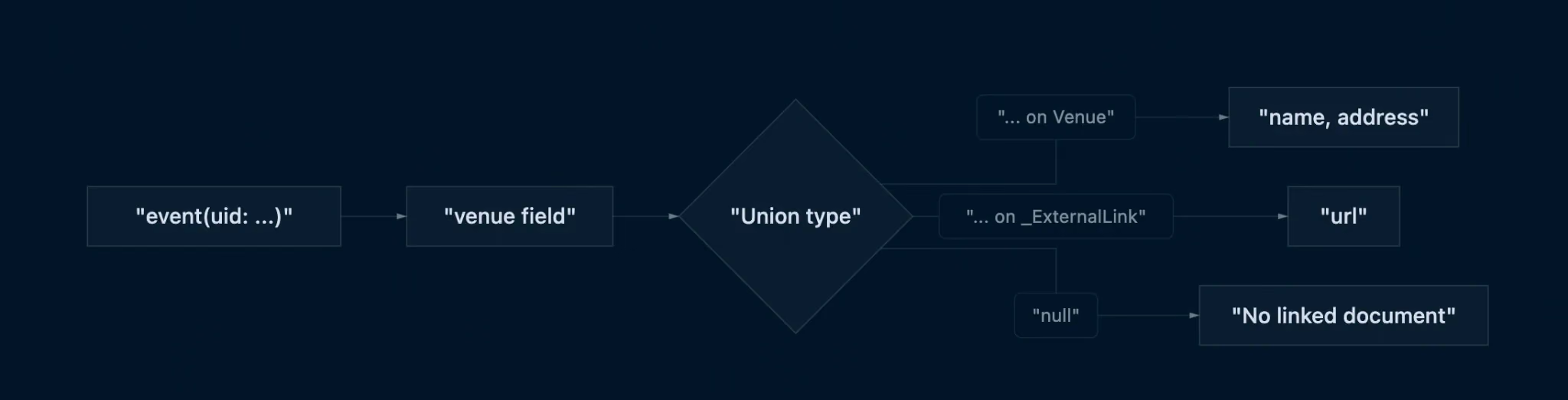
We started with place as a simple Key Text field on the event. That’s fine until you want the same venue for twenty events and someone spells it differently on three of them. The fix is to structure venue data: link the event to a Venue document using a Content Relationship field.
In the GraphQL schema, a content relationship is exposed as a union type — the field could resolve to any linked document type, so GraphQL makes you say which one you mean. You do that with an inline fragment: ... on Venue { ... }. If nothing is linked, the field simply returns null.
Querying the linked venue
The event query can extend to include the venue fragment:
const EVENT_BY_UID = gql`
  query EventByUID($uid: String!, $lang: String!) {
    event(uid: $uid, lang: $lang) {
      _meta {
        id
        uid
        tags
        firstPublicationDate
      }
      title
      description
      place
      image
      date
      venue {
        ... on Venue {
          _meta {
            uid
          }
          name
          address
        }
      }
    }
  }
`
This is how an application stops making excessive, repetitive database queries. Event and venue arrive together, in one request, in the shape your component expects.
Rendering the venue in the UI
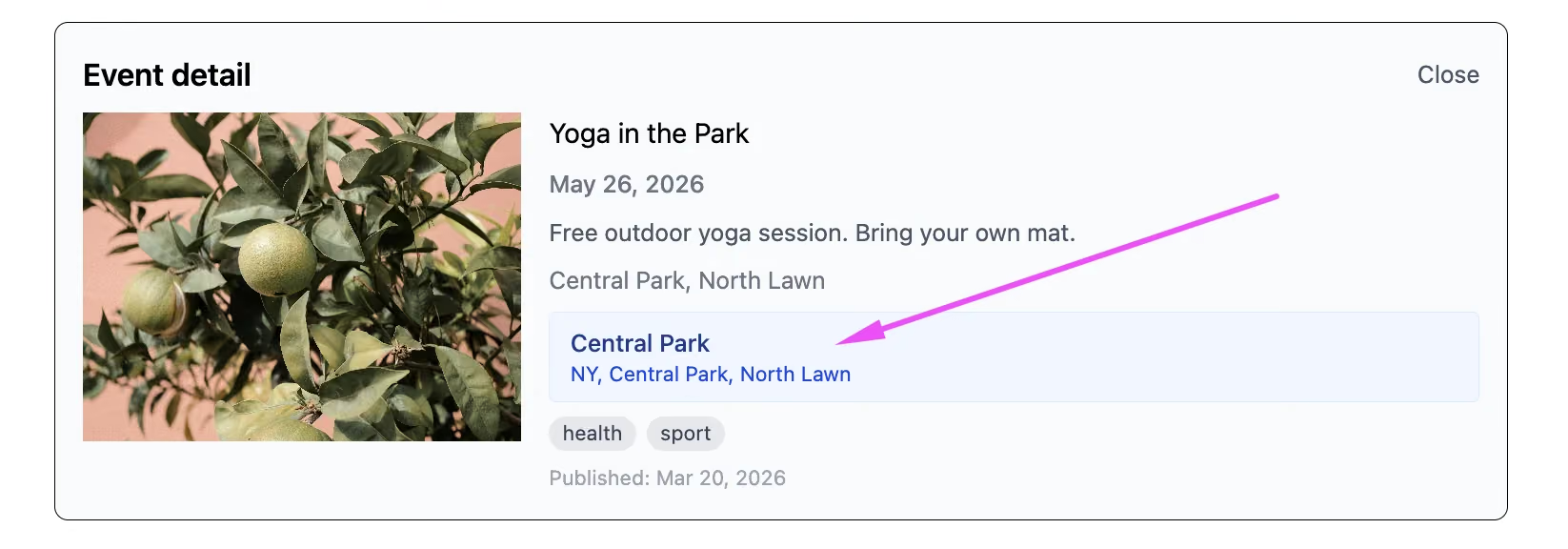
Because the field can be null, the UI checks for a venue before rendering the block. This action tells you the truth about your content. Content relationships are great for fetching nested documents. However, they are useless for list filtering or sorting. Queries like where: { venue: ... } are not supported. If you need to filter events by venue, denormalize: put the filterable value on the event itself as a top-level field or a tag.
React integration: Apollo + Prismic
In the final phase, the demo app connects Prismic GraphQL to the UI with Apollo Client: useQuery loads the event list, useLazyQuery fetches event details on demand, and Prismic helpers render images, rich text, and dates. In the sections below, we break down each of these actions for you.
useQuery and list variables
The event list is loaded with useQuery, and React state drives every variable: search term → fulltext, “upcoming only” → where, sorting → sortBy, pagination → after via fetchMore.
const { data, loading, error, fetchMore } = useQuery<AllEventsFilteredData>(
    ALL_EVENTS_FILTERED,
    {
      variables: {
        fulltext: searchTerm || undefined,
        sortBy,
        first: PAGE_SIZE,
        after: undefined,
        where,
      },
      notifyOnNetworkStatusChange: true,
    }
  )
notifyOnNetworkStatusChange: true is what lets you show a spinner on the load-more button rather than blanking the whole list.
useLazyQuery for event detail
Event details load only when a user actually opens an event, which is what useLazyQuery is for. Basically, it runs the query on demand instead of on mount.
const [loadEventByUid, { data: detailData, loading: detailLoading }] =
    useLazyQuery<EventByUIDData>(EVENT_BY_UID, { fetchPolicy: 'cache-first' })
With Apollo’s cache-first policy, repeated opens of the same event are usually served from the cache.
Pro tip: On larger projects, GraphQL Code Generator can generate TypeScript types straight from the schema, so your queries and your types stay in sync. Since the schema is derived from your custom types, it moves whenever the content model does. It makes generated types worth setting up early rather than after the first mismatch.
Where GraphQL earns its place in Prismic
REST is perfectly fine for a simple blog. But once your interface needs search, filtering, sorting, pagination, and linked content, the more useful question is how much data and client-side logic each screen requires. That is where the Prismic and Apollo setup we walked through starts to justify the extra complexity.
And this list UI is only one example. Prismic GraphQL can also handle related-document queries, location-based filtering, and flexible Slice content. Whatever the use case, the value comes from the same place: queries shaped around the data and relationships each interface needs.
{{banner-2}}