






A 10-year-old SQL database rarely moves to the AI cloud as-is. Years of fixes, duplicate records, outdated logic, and hidden dependencies turn migration into a cleanup and engineering project. The real cost is not storage or transfer — it is making legacy data reliable enough for AI.

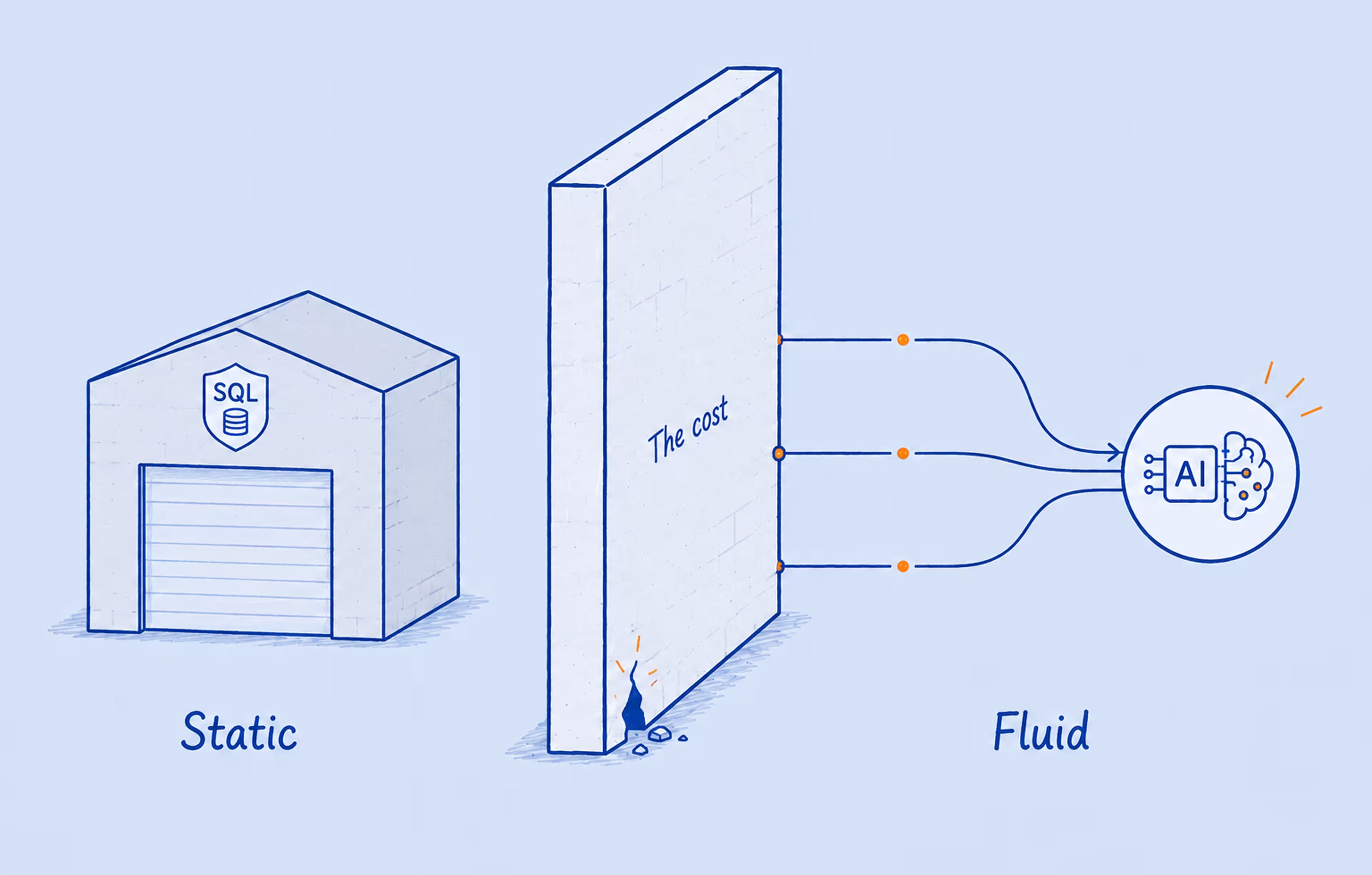
Established companies often rely on slow, isolated SQL databases that were never designed for real-time analytics or machine learning workflows. When core records sit in a ten-year-old system, AI adoption starts with a less visible challenge: making that data clean, connected, and reliable enough to use.
That is why data migration cost is rarely just about cloud storage or transfer fees. Below, we break down why expenses vary, where the biggest cost drivers hide, and how a smart modernization plan can keep your cloud budget more predictable.
A decade-old SQL database rarely changes without exposing deeper structural issues. Over years of operation, these systems accumulate technical debt: temporary fixes, outdated logic, undocumented dependencies, and decisions made to solve urgent problems at the time. What once kept the system running can later make every change slower, riskier, and more expensive.
This fragmentation creates two costly outcomes. First, technical debt consumes a growing share of IT resources. Second, AI initiatives struggle to move beyond proof of concept because the data is not clean, connected, or accessible enough to support reliable models. To address both problems, organizations need to identify the architectural bottlenecks that inflate operational overhead:
Before AI can use legacy data reliably, these issues need to be resolved. The real challenge often sits in the workflows, rules, and dependencies built around the database over time. That is why many companies begin with technical due diligence — to understand what needs to be cleaned, rebuilt, secured, or restructured before choosing the right cloud path.
{{banner}}
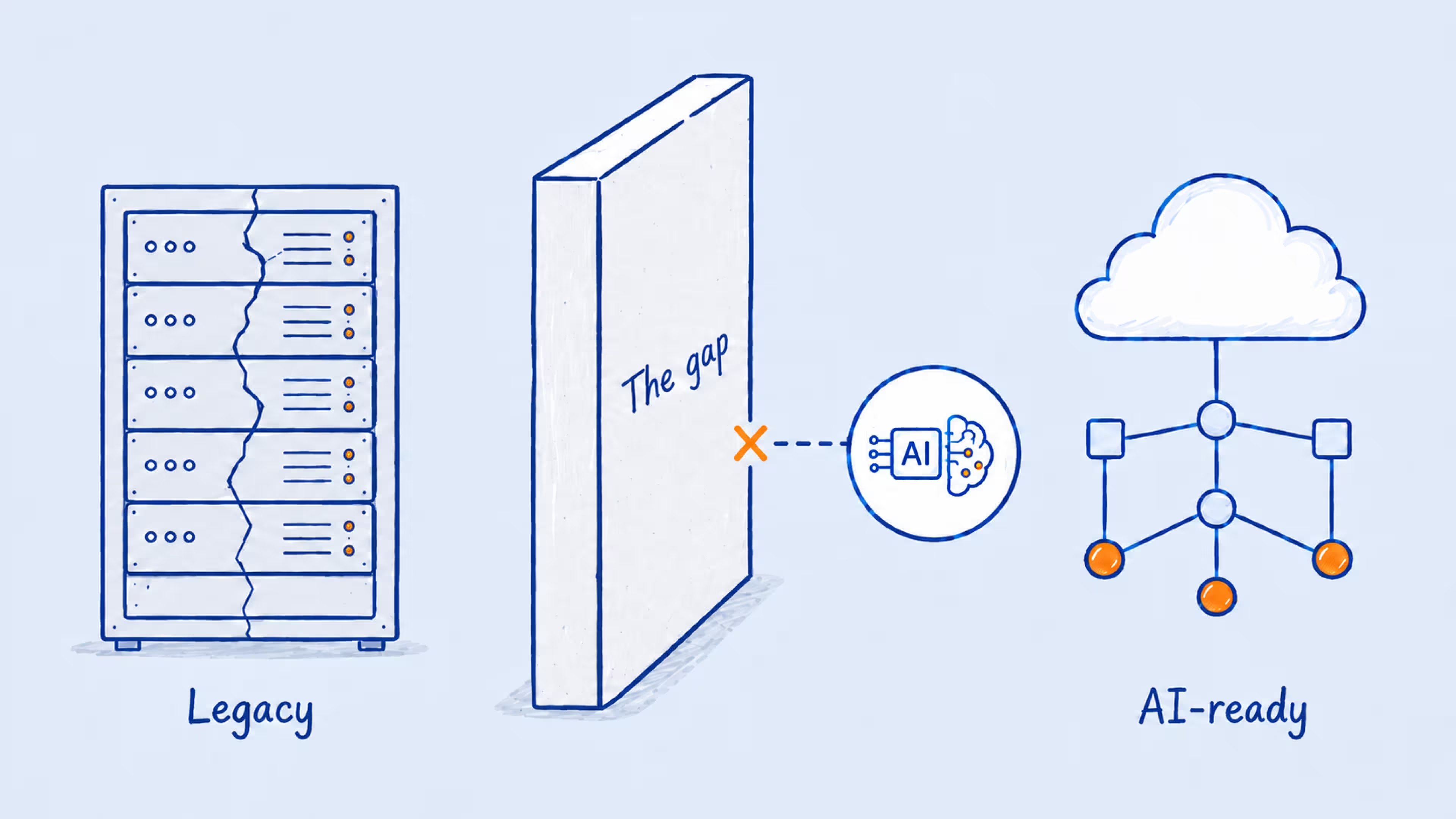
Data migration costs are rarely fixed because no two legacy systems carry the same load. The final budget depends on data volume, structure, quality, security requirements, and the amount of cleanup needed before anything moves to the cloud. To estimate the cost realistically, you need to understand which technical factors create the most work and where they can increase complexity. Consider the following:
The amount of terabytes matters, but so does the speed at which you need to transfer them. Standard storage costs are relatively low, but “egress” fees — the price cloud providers charge to move data out of their network — can surprise teams that haven’t planned for them. If your workloads require petabyte-scale transfers, you might even need physical hardware like AWS Snowball to ship the data rather than transfer it over the network.
Old databases often carry duplicate records, incomplete fields, outdated entries, inconsistent formats, and fragile table relationships. Cleansing this data before migration takes time, but skipping it makes every next step harder. Once poor-quality data reaches the cloud, it can distort analytics, weaken AI outputs, and turn faster infrastructure into a more expensive version of the same problem.
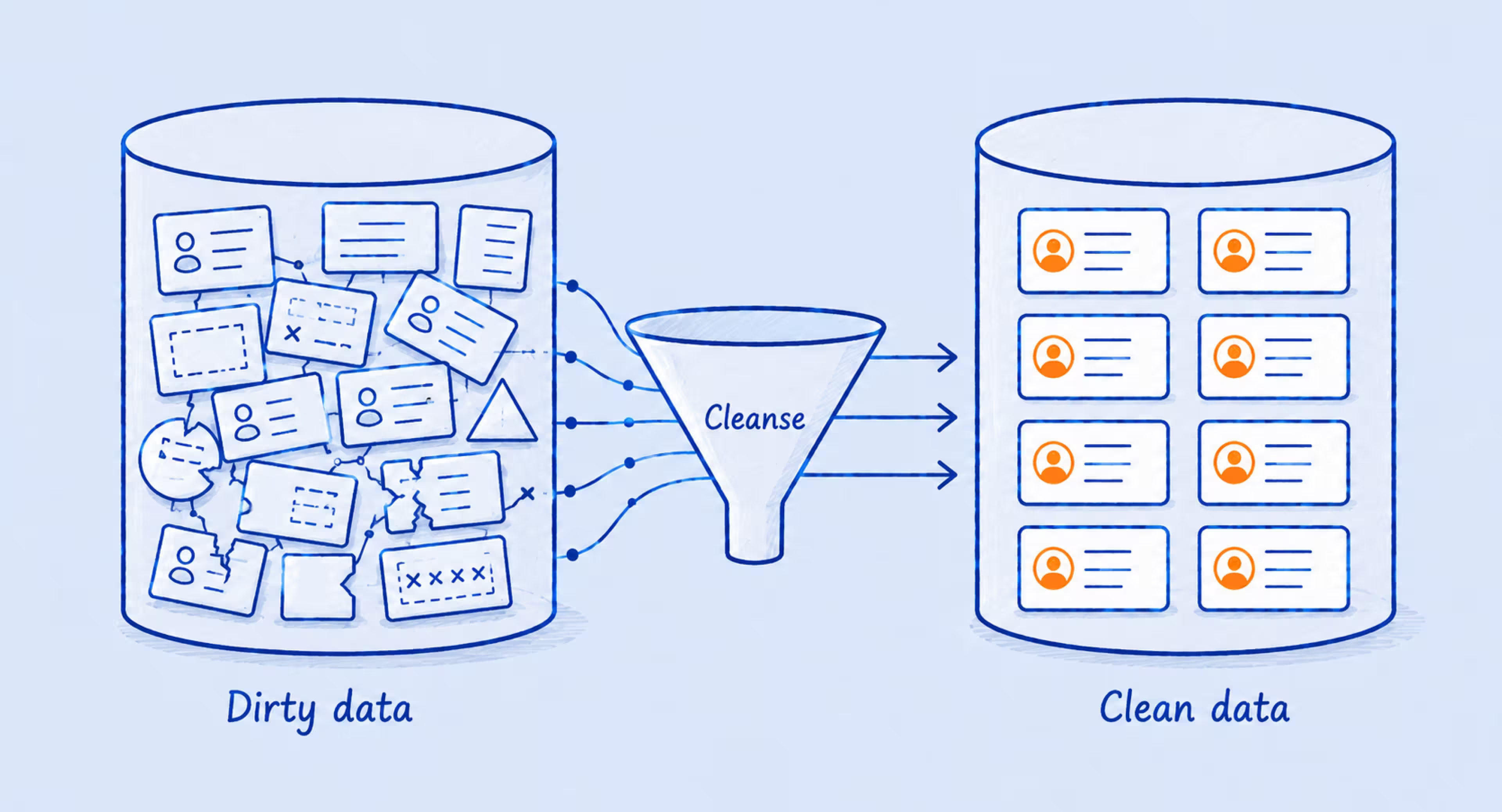
The schema — how the tables are linked — dictates the difficulty of the move. If your database has thousands of intertwined tables and stored procedures written in a legacy SQL dialect, you face a major schema conversion challenge. These dependencies often require manual untangling and rewriting for the target cloud environment.
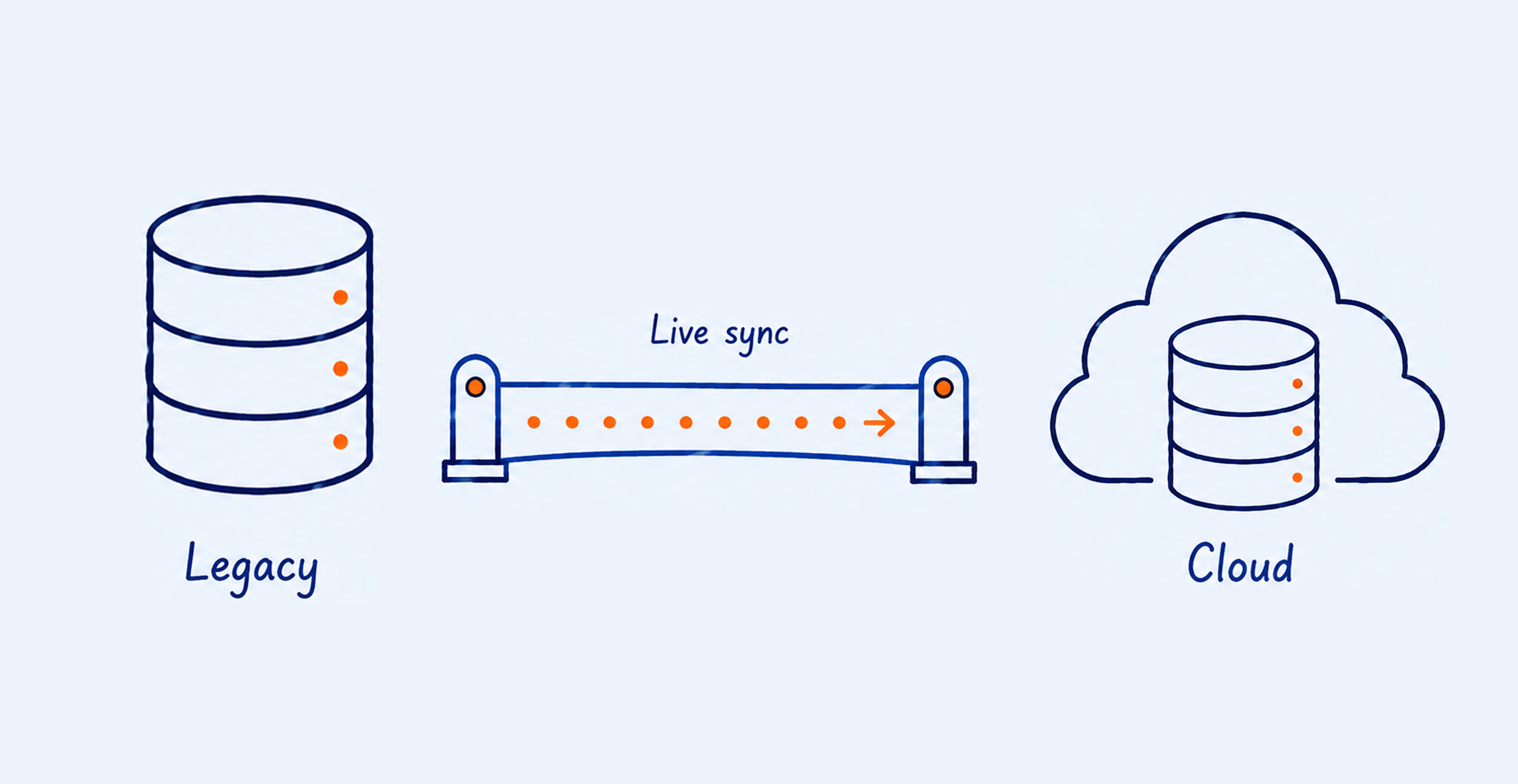
If your business can afford to go offline for a weekend, the move is much cheaper. But when near-zero downtime is required, you must use change data capture (CDC) and live replication. This keeps the old and new systems in sync until the final cutover. The price is a significant increase in engineering hours.
Moving medical or financial records requires a high level of security and a strict audit trail. The data must be encrypted at rest and in transit while meeting all regional compliance laws (like GDPR or HIPAA). Setting up this governance framework is a one-time cost that pays off by preventing future legal disasters.
The true cost of migration only becomes clear once you account for how data is shaped, stored, and secured.
Treating a migration as a simple move rather than a transformation invites failure. When leadership views the shift as a mere background task, they often starve the project of the budget needed for deep testing. The result is a cascade of technical and operational breakdowns. The key consequences of underfunding and shallow testing include:
If the migration takes longer than expected, or if the cutover fails, your primary business tools go dark. For an e-commerce site or a logistics firm, even an hour of unexpected darkness results in lost sales and frustrated customers. Extended downtime also erodes market confidence.
Predicting the exact moment of a “go-live” is notoriously difficult. Without a well-funded rollback plan, a minor technical glitch can turn into a multi-day blackout. Such an outage often costs more than the migration itself.
Skipping proper data validation leads to mangled records during conversion. Training an AI model on corrupted or shifted data produces dangerously wrong insights. This is the “Garbage In, Garbage Out” rule at its most expensive level.
A legacy SQL database migrated in the absence of a strict data cleansing protocol forces machine learning models to produce unreliable outputs. The result is bad business decisions based on incorrect numbers and false relationships.
Consider a mid-sized logistics company that migrated its decade-old order management database to the cloud as part of an AI initiative. The engineering team prioritized speed over validation, moving 8 million records without a deduplication pass.
Within weeks, the demand forecasting model began producing systematically skewed predictions — roughly 12% of the records were duplicates from a 2019 CRM merger that had never been cleaned. Retraining the model required a full data audit, a second cleansing pass, and three additional months of engineering time. The cost of fixing the problem after migration was nearly double what a proper pre-migration cleansing protocol would have required.
Moving data is the most vulnerable moment. If the migration strategy overlooks temporary staging areas where data might sit unencrypted, you risk a breach. Heavy fines and a total loss of patient trust follow.
During a legacy database migration to the cloud, information is most exposed while being transformed or held in intermediate buffers. Closing these security gaps requires a partner with deep governance experience. Otherwise, sensitive workloads may fall out of compliance with GDPR or HIPAA — turning a modernization project into a legal nightmare.
Your migration is complete only after every record has been validated for integrity and security.
Moving your data to the cloud is the beginning. If you want to use that data for AI, you have to transition from a simple “migration” mindset to a legacy data modernization mindset. This shift requires a strategic choice among technical paths, as the depth of your structural changes will directly dictate your long-term scalability and the potential for AI-ready data. Three common approaches exist, each demanding a different level of structural change.
This is the cheapest and fastest method. You take your existing SQL database and drop it into a virtual machine in the cloud. Hardware maintenance costs on-premise disappear, but your technical debt stays intact. The data remains just as hard for an AI to digest as before.
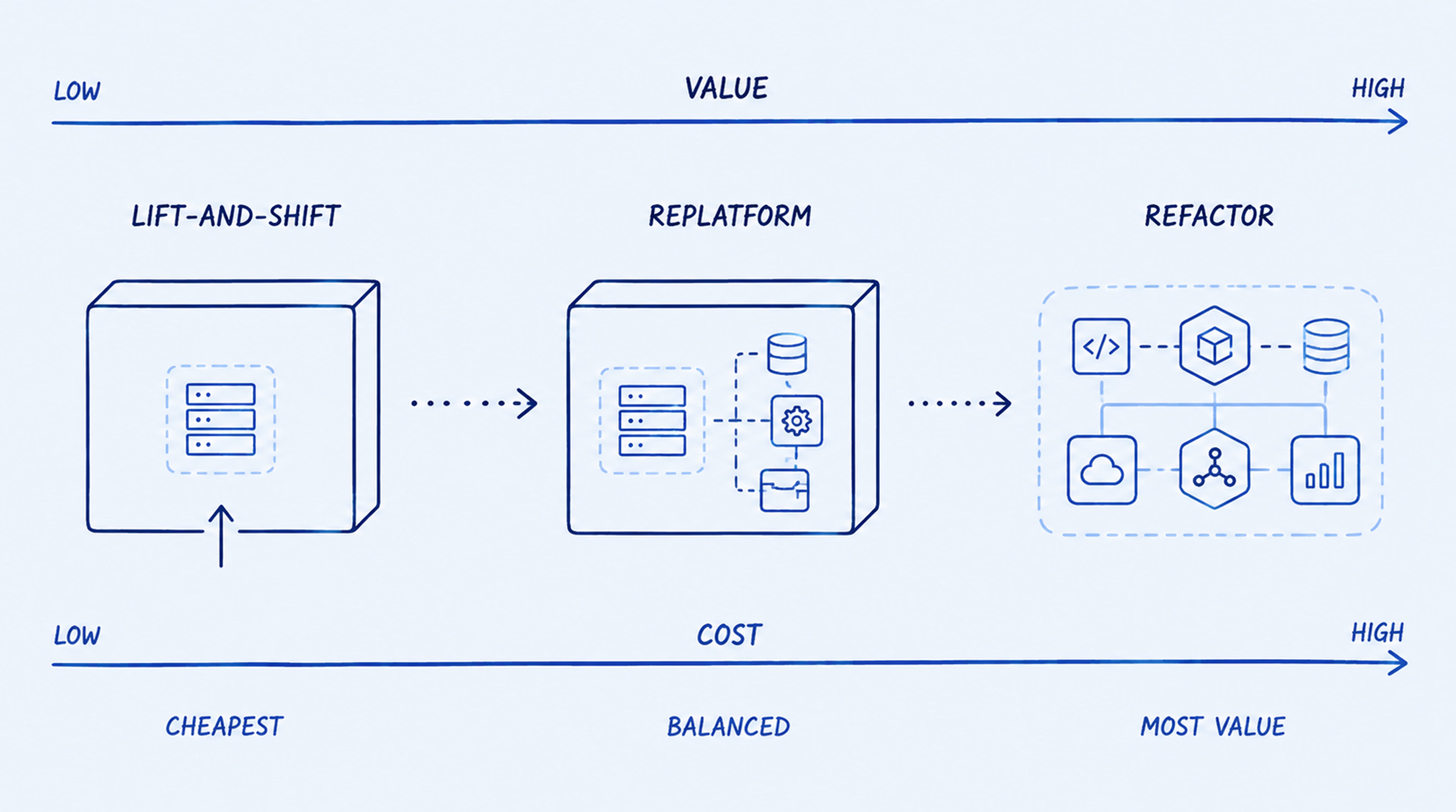
In replatforming, you move the data to a managed service like Amazon RDS or Azure SQL. The cloud provider handles updates and backups, reducing indirect IT staffing costs. A middle-ground choice, it offers better scalability without a total rewrite.
This approach represents the most thorough path to legacy modernization. You rewrite the mapping and transformation logic to suit a cloud-native architecture like a data lakehouse. The result is an AI-ready environment where information streams in real time, gets cleaned automatically, and feeds directly into model training. The upfront migration cost is higher, but the long-term value of your data grows vastly larger.
Before committing to a provider, every stakeholder asks the same fundamental question: how much does data migration cost in a real-world scenario? While every project is different, the total investment typically falls into one of the following broad categories based on the volume of records and the complexity of your existing technical debt.
For a single, well-documented SQL database (under 500GB) with few external connections, costs typically range from $10,000 to $30,000. This covers basic migration planning and the use of standard migration tools.
If you are moving multiple databases (1TB–5TB) with complex schemas and some data quality issues, expect a budget between $50,000 and $150,000. This level usually requires significant ETL (Extract, Transform, Load) work and custom scripts to manage shifting cloud migration costs.
Large-scale projects involving petabytes of data, strict compliance requirements, and the need for AI-ready data can easily exceed $250,000 to $1,000,000+. Full legacy data modernization at such a scale often takes 6 to 12 months of dedicated engineering.
Most data migration costs rise unexpectedly because companies underestimate cleanup, testing, and dependency mapping. Small technical details — the “connective tissue” of your data ecosystem — eat up contingency funds and stretch timelines. To keep your project on track, prepare for the hidden cost drivers covered below.
You cannot move what you don’t understand. Discovering hidden dependencies and “zombie” tables that nobody uses takes significant manual labor. Skip this discovery phase, and you will pay for cloud storage hosting thousands of gigabytes of data that should have been purged years ago.
SQL dialects are not interchangeable. Moving from on-premise legacy to a cloud-native environment means rewriting stored procedures and triggers. Schema conversion rarely works with automation tools alone. The logic written a decade ago needs human eyes — and those don’t come cheap.
Parallel runs are expensive. You will likely pay for both your aging server maintenance and your new cloud compute power simultaneously for months. These direct costs give you a fallback, but they can quickly drain a budget built around an overnight switch.
Proving that your data landed safely can cost more than the transfer itself. Data validation involves running complex parity checks and performance tests. Suppose the data conversion results in even a 1% error rate. The labor cost to manually reconcile those records can then double the SQL database migration cost.
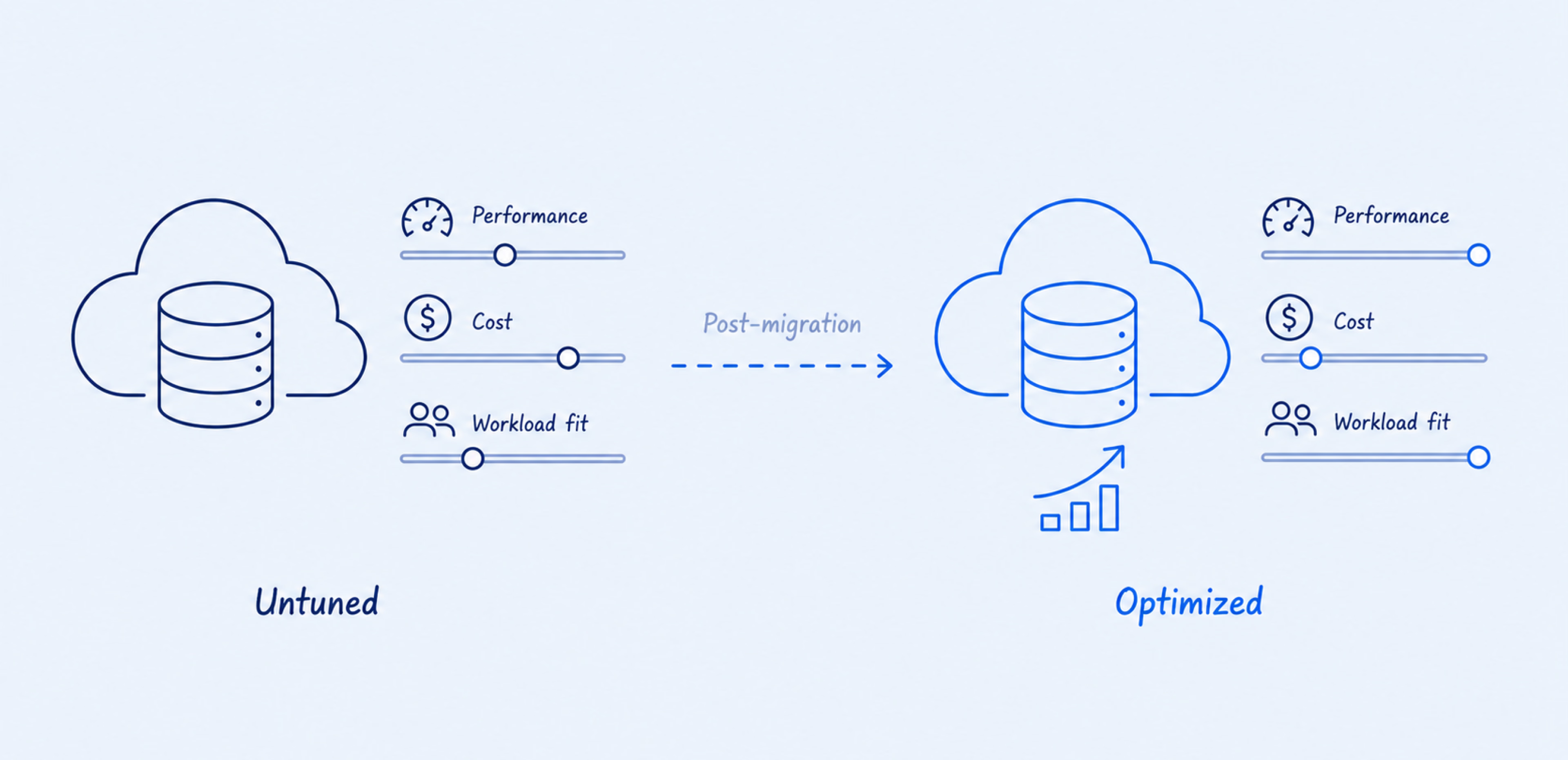
Post-migration support is essential for tuning the new cloud database to your specific workloads. Skip this phase, and your new system may run slower than the legacy hardware it replaced. The new setup might also cost more. Either way, you will face unplanned cost optimization — immediately.
The big cloud companies offer specific migration tools to help you move, but they are not free of charge once you scale. To accurately forecast your total spend, you must account for platform-specific pricing models and third-party fees. Keep in mind that exact costs depend on your region, data volume, and negotiated contracts — always check current rates before planning.
The AWS DMS pricing model is based on the instance you use to move the data. While the service itself is affordable, you must account for the computing power used during the transfer. The AWS Schema Conversion Tool (SCT) helps automate the rewrite, but it still requires human oversight for complex logic.
Azure Database Migration Service is tightly integrated with Microsoft’s ecosystem. It works natively with on-premises SQL Server instances. Costs are tied to the “Compute Tier” you select for the migration task.
Google Cloud Database Migration Service focuses on ease of use and “serverless” transfers. It is particularly strong for moving MySQL and PostgreSQL databases with minimal configuration, though large-scale backfill operations will still incur storage and egress fees.
Sometimes the native tools aren’t enough. Professional automation tools like Fivetran, Informatica, or Talend offer more powerful data mapping and data transformation features. These services often charge based on the number of “active rows” moved each month.
Modernization moves a legacy SQL database from fragile and static to cloud-ready and intelligent. Each stage contributes to the total database migration costs. To ensure a smooth transition, organizations must follow a structured sequence of technical phases. These phases — from initial discovery to final validation — are outlined below.
Technical teams crawl through the old system to find every application that talks to the database. This creates the migration roadmap and ensures that when you move the data, you don’t accidentally “break” your accounting software or CRM.
You decide what stays and what goes. Archiving old records (cold storage) before the move is the best way to perform cost optimization. It reduces the volume and makes the data quality check much easier.
This stage determines whether your cloud database runs as a single instance, a cluster, or a sharded pool. Each choice affects your migration path — for example, sharding may require additional logic for data distribution. The decision also drives your monthly infrastructure bill and future scalability limits.
Engineers set up the change data capture (CDC) pipeline. This is the “bridge” that sends every new transaction from the old server to the cloud in real-time. Once the bridge is stable, they perform a backfill of the historical data.
The team runs thousands of automated tests to ensure that not a single record is lost. They check for security gaps and ensure the new system can handle the peak workloads of your busiest business days.
Finally, teams build the pipelines that feed your clean data into AI models. This involves setting up governance and audit logs so you can track how the data is being used and ensure it remains compliant with local laws.
These phases often require a mix of architecture, backend, DevOps, data engineering, and QA expertise. For a clearer view of how to structure that cooperation, see our overview of IT engagement models.
Cutting migration costs is tempting, but doing it the wrong way breaks AI readiness. The goal is to save money without damaging your data quality or machine learning pipelines. Four practical steps can reduce the budget while keeping long-term value intact.
Moving ten years of cold logs or obsolete records is pure waste. Archive them to low-cost storage like Glacier or delete them outright before migration. Every gigabyte you don’t transfer is a gigabyte you don’t pay for.
A ten-year-old database often contains 30–40% of records that haven’t been accessed in years — archiving these before migration can meaningfully reduce both transfer costs and the scope of the cleansing effort.
Manual mapping and validation invite human error and drive up costs. Use automation tools for schema conversion and data parity checks. The software license is cheaper than the engineering hours it saves. Automation also runs consistently, without the fatigue that leads to mistakes. And it scales — what takes a week by hand can finish overnight.
Schema conversion tools like AWS SCT or open-source alternatives handle the bulk of table mapping automatically, reserving engineering hours for the complex stored procedures and custom logic that genuinely require human judgment.
Migrating one department or application at a time limits the blast radius of any single failure. You learn from small mistakes before scaling up, and the budget stays under control. A phased approach also makes it easier to roll back if something goes wrong. Plus, stakeholders see progress early, which builds confidence for the larger moves later.
Starting with a non-critical internal application — rather than the core transactional database — gives the team a low-stakes rehearsal that surfaces integration issues before they affect revenue-generating systems.
Once your database is live in the cloud, right-size your resources. Downgrade over-provisioned compute and storage to match real workloads. Most teams provision for peak traffic but end up paying for idle capacity. After a week of monitoring actual usage, you can often cut monthly cloud bills significantly without touching performance — simply by turning off what you don’t need.
Many internal IT teams rarely handle large-scale legacy migrations, which makes it difficult to estimate data migration service costs without external expertise. An experienced modernization partner works with these projects more often and understands where budgets tend to expand: unclear dependencies, data quality issues, security gaps, downtime planning, and post-migration tuning.
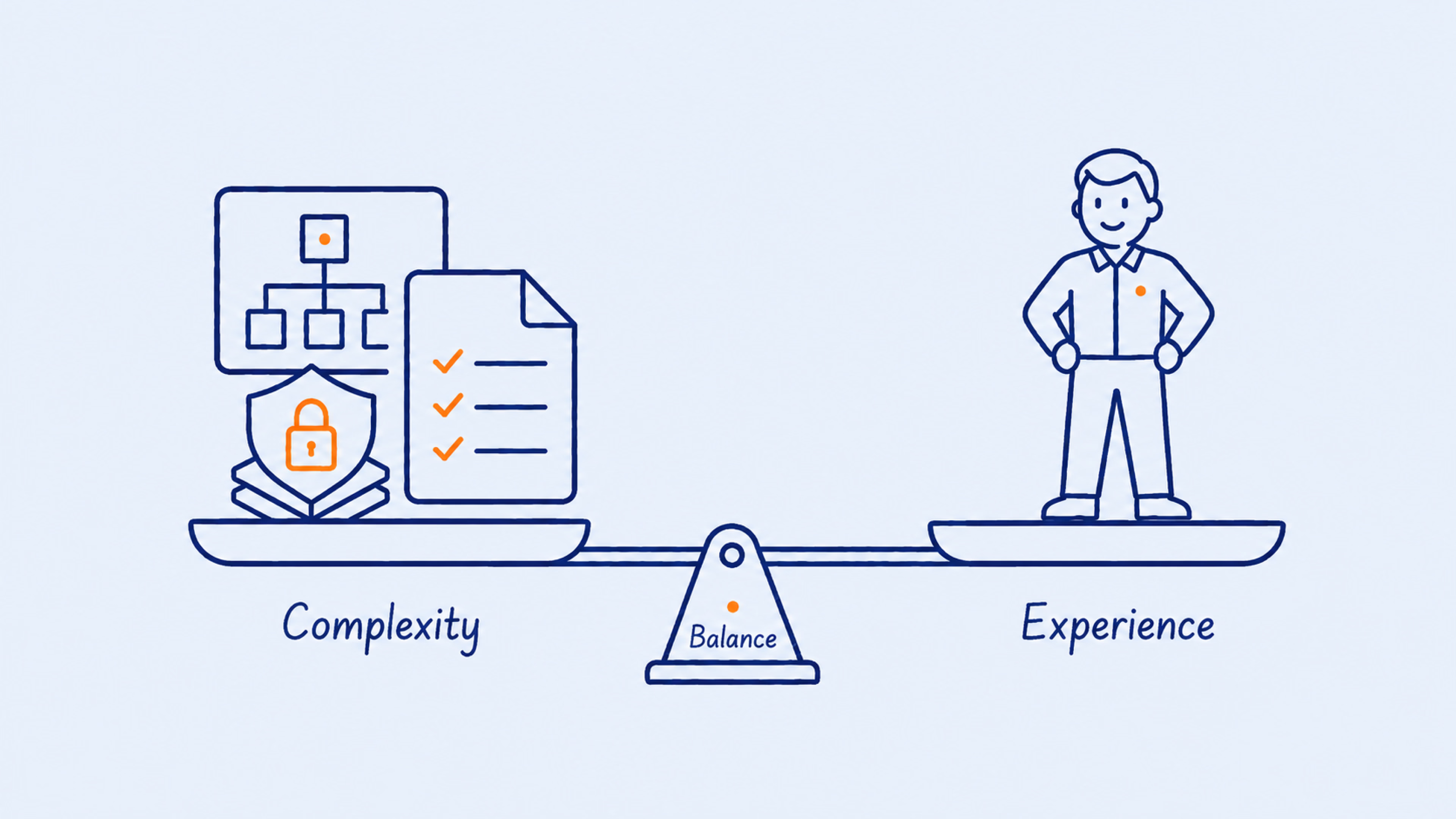
To choose a partner who can manage both the technical and operational complexity, evaluate potential teams based on the following criteria:
For long modernization projects, the dedicated development team model can help bring in experienced engineers for the duration of the migration while keeping governance, communication, and delivery standards consistent.
{{banner-2}}
A decade-old SQL database can quietly become a strategic bottleneck for your AI roadmap. If your team treats migration as a simple transfer task, the same data quality issues, fragile logic, and hidden dependencies will move with it. The stronger path is to treat migration as an architectural decision: fix what no longer scales, strengthen governance, and create a cloud foundation before legacy problems start running at cloud speed.
In the end, cloud migration works best when it does not simply copy the old system into a new environment. It should give your business a cleaner, safer, and more flexible way to use its data.
Legacy migrations involve untangling decades of technical debt, custom code, and rigid schemas. You are often rewriting the logic that makes the data useful for modern cloud services.
Migration is moving data from point A to point B (like moving a physical file). Modernization is changing the data’s structure and quality so it can be used for advanced tasks like real-time analytics and AI training.
A simple move can take 4 to 8 weeks. A full modernization project for an enterprise-level database typically takes 6 to 12 months, depending on the data quality and the complexity of the legacy code.
Yes, these tools are built to lower the barrier to entry. However, while they automate the transfer, they do not automatically clean your data or rewrite your custom SQL logic. You still need engineers to manage the migration strategy.
AI-ready data infrastructure is defined by data that is clean, governed, easily accessible via APIs, and stored in a format that machine learning models can ingest at high speed.
The best way is through “Right-Sizing.” Cloud providers often sell you more compute and storage than you need. Once your database is stable, you should analyze your actual usage and downgrade your resources to match your real-world workloads.