




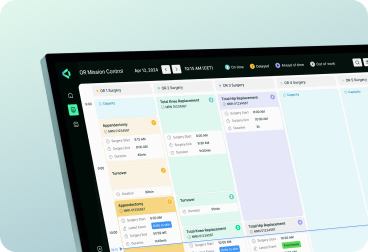



As more companies adopt B2B enterprise SaaS, they run into a familiar challenge: users want software that feels simple and intuitive, while the business needs systems powerful enough to manage complexity, compliance, and legacy integrations. When that balance isn’t right, the consequences show up fast — confusing onboarding, low adoption, and tools that never deliver on their promise. The solution isn’t more features, but better design.

Great B2B enterprise software isn’t defined by how many functions it has, but by how well it supports real business priorities. How navigation, permissions, and data flow are designed can make or break efficiency, scalability, and governance. This article explores the key challenges facing B2B SaaS today, the role of emerging technologies, and practical ways to design enterprise products that truly deliver value.
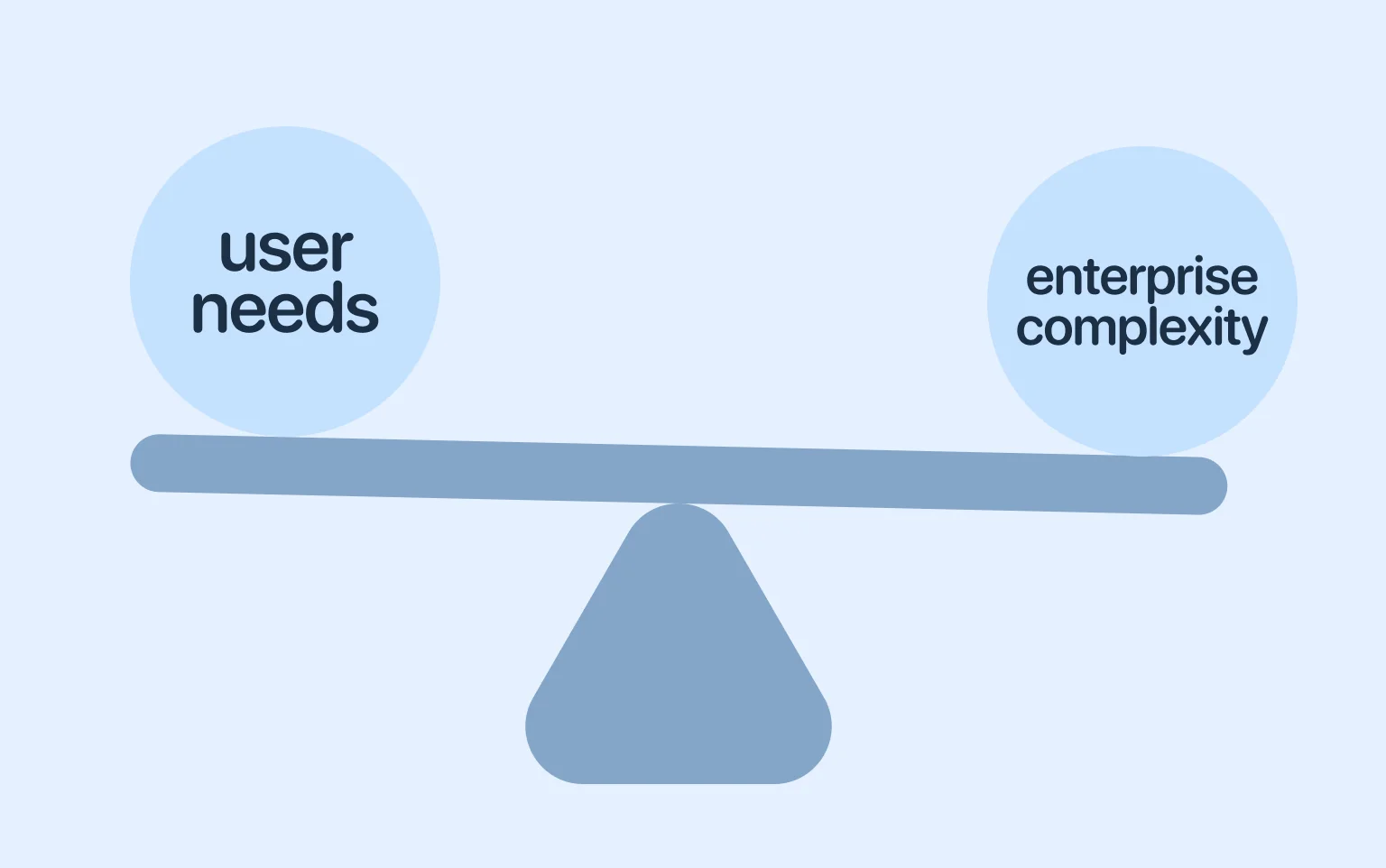
Consumer SaaS is built to attract customers, and it thrives on simplicity, viral adoption, and instant gratification features. Users often figure it out for themselves whether to try, buy, or abandon the product. UX can help them make that choice with fast onboarding, low cognitive load, and clear feature discovery.
On the other hand, enterprise SaaS follows a far more complex path. Here, purchasing decisions involve CIOs, compliance officers, department heads, and end-users alike. The design must cater to each of these audiences without compromising usability or overwhelming the interface. The stakes are higher because a poor structure can slow business, raise training costs, and even put compliance at risk.
“Designing B2B SaaS means finding harmony between the demands of enterprise systems and the expectations of the people who use them.”
Now that you know the basics of consumer and enterprise SaaS and their UX, let’s clarify the key differences. Enterprise applications are built to handle massive, simultaneous use, ensuring performance and uptime at scale. They must serve multiple types of users, from executives to frontline staff, all within a single interface. Unlike consumer apps, they integrate deeply with other systems and legacy platforms, while embedding trust, security, and compliance from the start. Finally, they are highly flexible, allowing organizations to customize workflows and adapt the software to their unique processes.
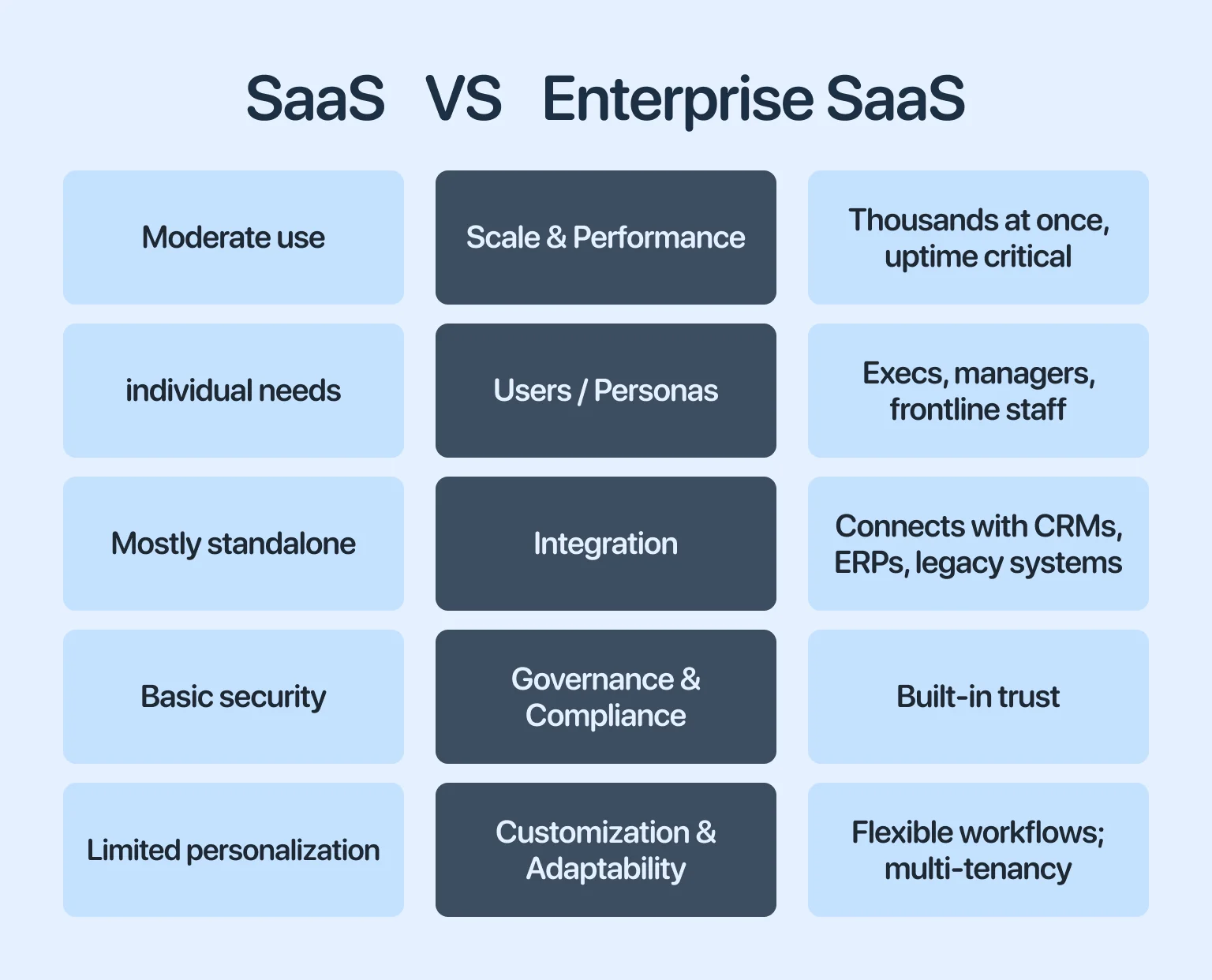
In short, consumer SaaS is a fast-food sandwich designed to win over individuals quickly, while organizational SaaS is a full-scale restaurant kitchen made to sustain long-term value across an organization.
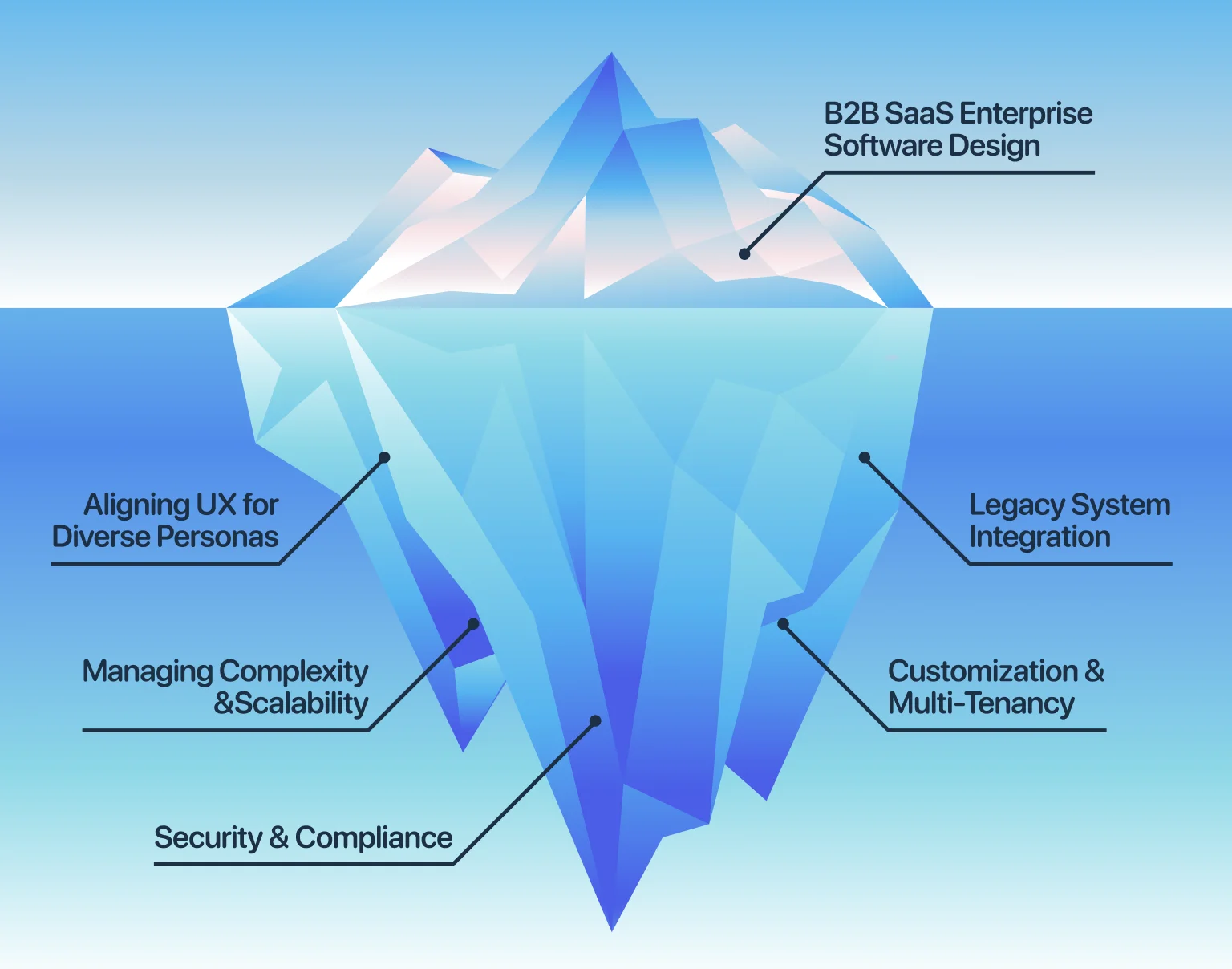
B2B SaaS design for enterprise systems involves more than just usability — it comes with a host of complex challenges. Here are the key hurdles and what can happen if they aren’t addressed.
As platforms expand, they can become confusing or cluttered. Features added over time may not follow a consistent structure, increasing cognitive load and slowing decision-making. Performance issues can also appear as more users and data are added, affecting reliability. Without careful design and ongoing optimization, growth can reduce both usability and system stability.
Trust is central to the design of B2B enterprise software. Compliance with GDPR, HIPAA, and SOC 2 requires embedding security into every layer of the software. When governance breaks down, trust disappears fast, and penalties can follow. Design must support secure behavior without adding unnecessary friction to everyday tasks.
Enterprise software is used by people in a wide range of roles, from frontline staff to administrators and executives. Each group has unique goals, permissions, and levels of technical expertise. If the UX does not adapt to these differences, productivity drops and support costs rise. Effective design requires role-based experiences that surface the right tools at the right time.
Integrating with legacy systems is a persistent challenge for enterprise SaaS. Most organizations operate within complex ecosystems, where new tools must connect with existing ERP, CRM, and industry-specific platforms to maintain conversion efficiency. Beyond connectivity, integration must preserve data accuracy and minimize latency, since delays or mismatches degrade trust.
Enterprise clients often require tailored workflows, fields, and business rules to match their operations. At the same time, SaaS providers must serve many customers on shared infrastructure without compromising security or performance. The challenge is to offer flexibility while maintaining stability, isolation, and long-term maintainability.
While challenges define the baseline, opportunities are driving the evolution of corporate SaaS. Advances in technology and shifts in user expectations are opening new directions that can transform how businesses interact with software. We’ve put together some that are already reshaping enterprise UX.
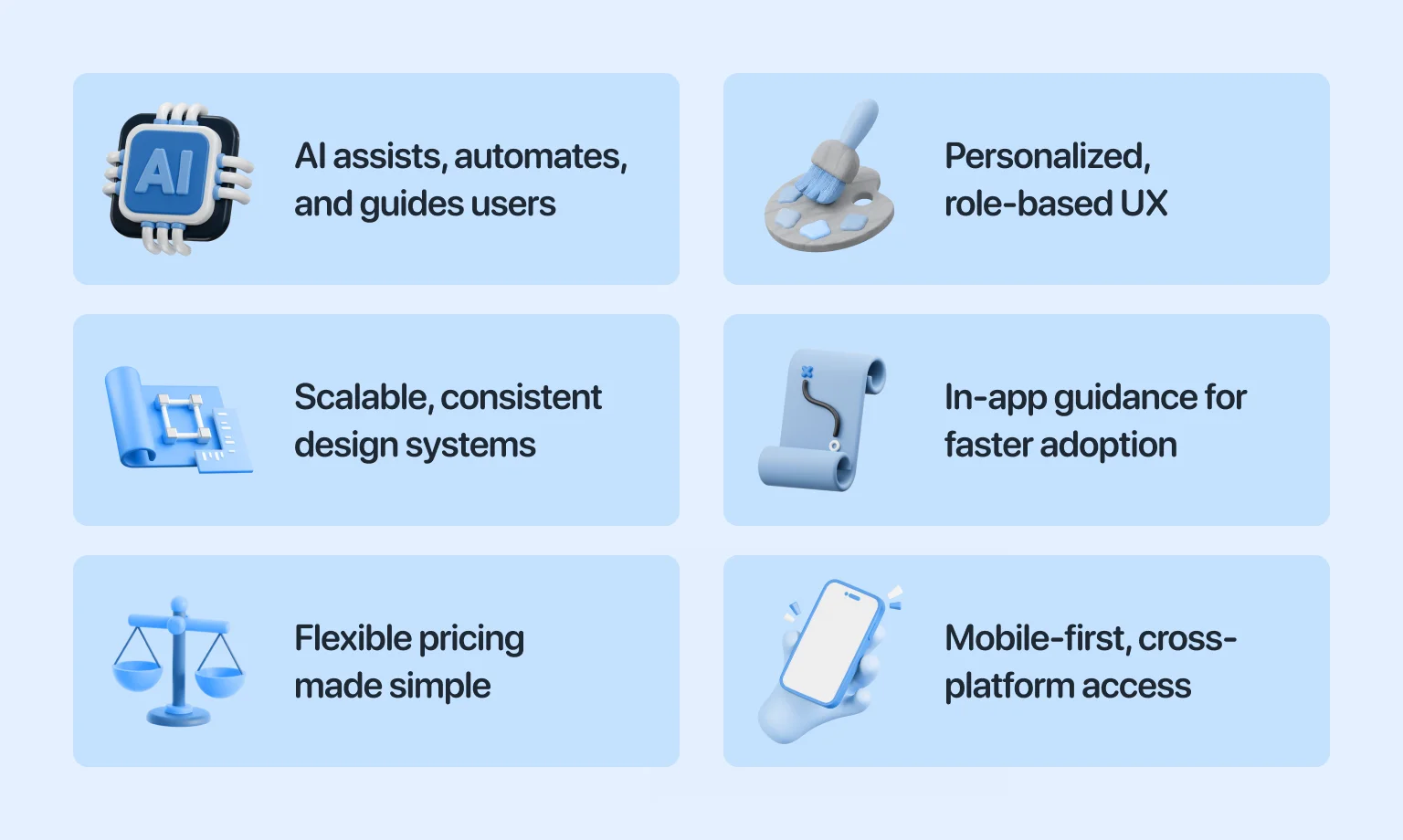
Artificial intelligence is reshaping enterprise UX. If you wonder how, just look at context-aware interfaces. They can suggest actions, detect anomalies, and even automate repetitive tasks before customers intervene. Intelligent agents embedded in SaaS platforms reduce cognitive load so that employees can focus on higher-value work.
“AI in enterprise UX works best when it closes the gap between problem and action.”
For example, an AI-driven assistant in a CRM can automatically highlight at-risk deals or propose the next best action. In financial software, machine learning models can surface unusual patterns that might indicate fraud. These features turn software into an active partner rather than a passive tool. But if AI usage is an uncharted territory for you, instead of figuring it out alone, rely on our AI development services.
One-size-fits-all interfaces no longer suffice in commercial environments. Personalization allows users to see information, workflows, and dashboards tuned to their role and preferences. For executives, that often looks like clear, high-level metrics. For frontline teams, it means fast, focused interfaces that make daily tasks easier.
Role-based experiences reduce clutter and improve adoption by ensuring users don’t waste time navigating irrelevant features. This also helps enterprises cut training costs and increase productivity. If you want to know more about this topic, read our guide on personalized UX.
As SaaS platforms expand, a fragmented setup becomes a liability. A scalable design system with reusable components and consistent patterns ensures every new feature feels like part of the product, not something tacked on.
At the same time, UI standardization reduces architecture debt, accelerates development, and lowers the risk of usability gaps. For teams serving large corporations, UI systems act like a contract between design, product, and engineering, keeping experiences consistent even when multiple squads work side by side.
Looking to strengthen your product’s foundation? Our SaaS design services can help you with that.
Even the most intuitive enterprise software requires onboarding. Digital Adoption Platforms (DAPs) provide in-app guidance, interactive walkthroughs, and contextual help that accelerate learning. Instead of relying on static manuals, users receive real-time support while performing tasks.
For design teams, DAPs take the pressure off having to simplify every edge case. Complex features can stay fully available, while DAPs guide users with just-in-time training. This way, rollouts become faster, resistance is reduced, and features are adopted more smoothly.
SaaS design isn’t limited to interfaces, but also extends to business models. Today, corporations expect flexibility in pricing and usage, whether it’s pay-per-use, seat-based licensing, or feature gating. UX plays a key role in making these models clear and easy to manage.
Dashboards that track usage, alerts that warn of approaching billing limits, and self-service upgrade options all help create a better experience. Without this clarity, flexible pricing can quickly confuse or frustrate users.
Enterprise work no longer happens exclusively on desktops. Field employees, hybrid teams, and global organizations need access across multiple devices. Nowadays, mobile design is a vital part of B2B SaaS design. It ensures users can get essential work done on smaller screens without hassle.
Cross-platform availability adds another layer, since users expect parity between web, desktop, and mobile apps. Responsive layouts, consistent navigation, and offline functionality all become design priorities. The goal is continuity: users should feel they’re working within the same system, no matter the device.
Addressing challenges and leveraging opportunities is only part of the equation. Teams that consistently deliver successful corporate platforms apply a set of strategic design insights. These help to align software with business goals while keeping user experience central, and it’s time we take a look at them.
Enterprise software rarely exists in isolation. Every product has to coexist with CRMs, ERP systems, analytics platforms, and legacy tools that companies cannot abandon overnight. When integration isn’t planned from the start, workflows get fragmented, and users suffer.
To avoid this, integration requirements should guide interface decisions from the start. That means reserving space in the design for third-party data, planning for connector management, and anticipating how external workflows will surface within the UI. Teams that approach all these early reduce rework and ensure the product feels embedded in daily operations.
Overly complex login screens, opaque permissions, or rigid data handling rules can create barriers to adoption. In highly regulated industries like finance, healthcare, and government, over-compliance can frustrate users and drive them away.
The challenge, then, is finding a balance — designing safeguards that remain intuitive. Single sign-on, clear access hierarchies, and contextual guidance can reinforce trust without slowing down work. By pairing strong security protocols with transparent UX, companies can satisfy regulators while still earning the support of everyday clients.
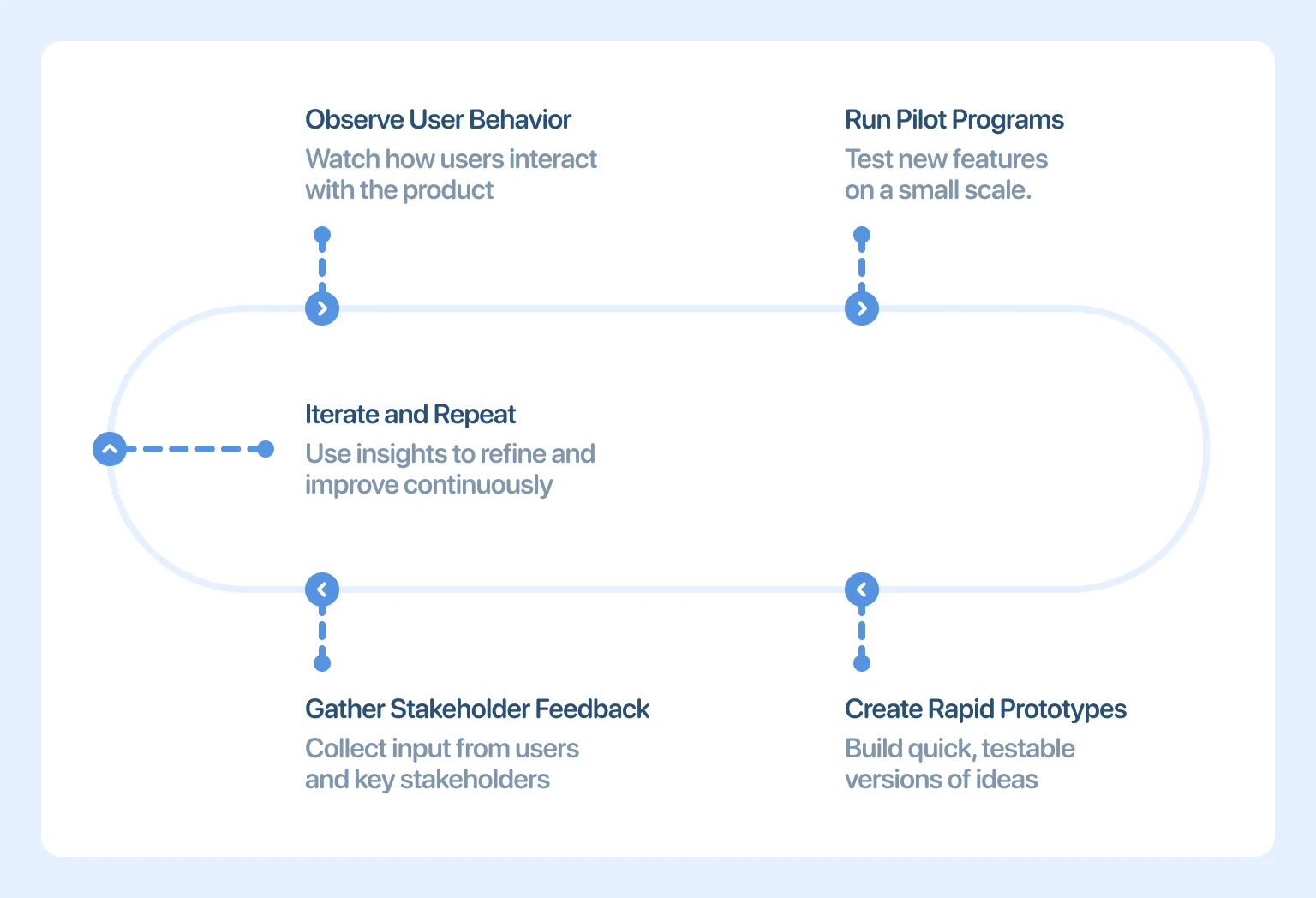
Large-scale SaaS projects involve diverse stakeholders, which is why building regular feedback loops ensures the product meets real needs rather than assumptions. This requires more than surveys. Observing user behavior, running pilot programs, and creating rapid prototypes reveal insights that documents alone cannot capture. Meanwhile, continuous iteration, guided by stakeholder feedback, helps avoid costly missteps and improves adoption when the system goes live.
How features are packaged, how upgrades are surfaced, and how usage metrics are displayed all shape customer perception. Ignoring monetization during design often leads to awkward retrofits later. Therefore, top SaaS teams focus on business alignment from day one.
For example, if a freemium model is planned, the interface should highlight premium capabilities without disrupting free workflows. If usage-based billing is in place, dashboards must make consumption transparent. When monetization and design move together, the product becomes both user-friendly and commercially viable.
Successful teams do not treat SaaS best practices as checklists, but rather as structured, repeatable approaches that are applied throughout the process to enhance usability, reliability, and organisational value. Read on to find out how to achieve consistent enterprise results.
With enterprise SaaS constantly evolving, features that aren’t needed today may become critical tomorrow. If the product is designed as a monolith, every new requirement slows down development. Modularity is a way out of this trap.
Reusable UI components, flexible service layers, and clear API boundaries allow teams to add or adjust features without destabilizing the core system. This way of working helps maintain consistency across the platform as new capabilities are introduced. It also supports critical B2B patterns, such as bulk operations, data-dense tables that handle thousands of records, and advanced filtering systems, ensuring the product can efficiently handle large volumes of data as it scales.
Infrastructure decisions affect every choice that follows. Building on cloud platforms with auto-scaling capabilities lets products handle sudden spikes in usage without breaking. This stability is especially critical in enterprise environments where outages carry high financial costs. Cloud services also open opportunities for distributed access, high availability, and disaster recovery. By aligning interface performance with scalable infrastructure, design teams avoid performance constraints that frustrate end customers.
Assumptions age quickly in enterprise environments. Regularly capturing client input helps teams identify friction points before they harden into systemic issues. Feedback should flow from multiple channels — surveys, interviews, embedded analytics, and direct observation.
Integrating these insights into sprints allows for faster course correction and a product that grows with user needs. To explore methods that turn feedback into measurable improvements, see our SaaS Design Best Practices. For teams ready to elevate their platforms further, consider Halo Lab’s expert UI/UX design services.
Strategies for dealing with adoption challenges often determine the success or failure of enterprise software. A product can have advanced features, but if onboarding is confusing, usage will lag. Clear guided walkthroughs, interactive tutorials, and contextual tooltips reduce the learning curve. Pairing onboarding with digital adoption tools further accelerates training. This approach lowers support costs while ensuring employees quickly gain confidence in the system.
Enterprises depend on interoperability. APIs make it possible by connecting SaaS platforms with the tools companies already rely on. But when APIs are hard to work with or poorly documented, they slow implementation and create friction for IT teams. Strong design accounts for this by providing transparent documentation, sandbox environments, and predictable update cycles. By making integrations reliable, SaaS products embed themselves deeply into enterprise workflows.
Data generated within SaaS platforms often remains underused. AI-driven analytics help teams extract value by identifying patterns, predicting outcomes, and recommending process improvements. From a design perspective, intuitive dashboards make insights easy to see and act on. The goal isn’t just to collect metrics, but to turn analytics into practical guidance that drives adoption and performance.
Security isn’t static. It evolves alongside emerging threats and shifting regulations. Therefore, design practices must include scheduled audits and compliance checks to ensure features stay aligned with industry requirements and reduce the risk of last-minute redesigns. By integrating security checkpoints into the design process, teams protect both enterprise data and their customers’ trust.
Not all enterprise users work the same way. Customizable, role-based views let people tailor their workspace to what matters most. This way, executives can focus on analytics, while operations teams get fast access to tasks. This balance enables design teams to deliver efficient, relevant experiences without exposing users to extraneous information.
A sales manager might review analytics dashboards on a laptop in the morning, then approve contracts from a phone while commuting. Effective B2B enterprise SaaS adapts to these transitions with context-aware design. Yet, cross-platform consistency means more than resizing layouts. Features such as offline mobile editing synced back to desktop systems, or push notifications that link directly to in-progress workflows, keep activity moving without disruption. And multi-device access becomes a driver of efficiency rather than a source of friction.
Winning customers is expensive, so retention becomes a core UX priority. Ongoing support through knowledge bases, live chat, proactive alerts, and user communities extends a product’s value well beyond the initial rollout. Design plays a key role in how that support is experienced. In-product help centers, contextual FAQs, and built-in feedback tools reduce frustration and signal a long-term commitment to customers. When support is well designed, retention follows.
As technology advances and user expectations rise, enterprise SaaS continues to evolve. Teams that anticipate what’s next are better positioned to build platforms that stand the test of time. Let’s clarify what you need to know about the future of B2B SaaS enterprise here and now.
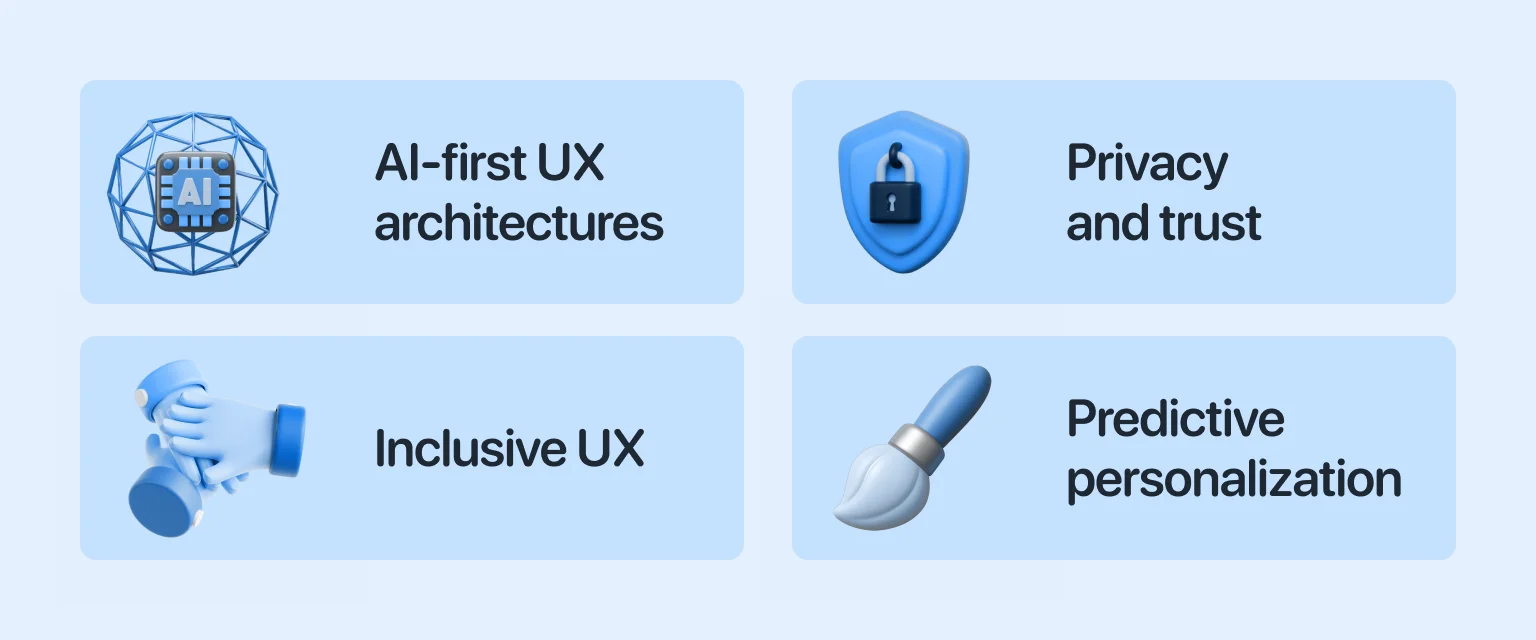
Artificial intelligence is moving from a supporting role to the foundation of corporate design. Future platforms will no longer bolt AI features onto existing workflows. Instead, the entire user journey will be constructed around intelligent systems. In practice, this involves integrating chat-based interactions, automated recommendations, and intelligent task prioritization directly into the platform’s foundation. Rather than treating AI as an enhancement, designers will shape interfaces in which machine-driven insights serve as the primary interaction layer.
Data privacy expectations are advancing rapidly as well. Regulatory frameworks such as GDPR and CCPA set the foundation, but enterprises increasingly demand stronger assurances of data governance and user trust. Future SaaS products will need built-in transparency tools, clear consent management, and auditable security features. Trust will no longer be a checklist item; it will be a visible component of the design that reassures users at every interaction point.
Accessibility is expanding beyond compliance into a central design principle. Enterprises want platforms that empower every employee, regardless of ability, environment, or device constraints. Designing with accessibility in mind means more than screen-reader support. It includes adaptable color contrasts, customizable font sizes, speech input, and simplified navigation. By baking accessibility into every component from the start, enterprise software will serve a wider, more diverse workforce effectively.
As enterprise datasets grow, SaaS platforms will move from reactive to predictive experiences. Personalization will no longer just suggest features, but will reshape interfaces in real time based on user behavior. Dashboards that adapt to usage patterns, alerts that anticipate workflow bottlenecks, and menus that evolve with context are just the beginning. In the future, personalization will be proactive and role-specific, reducing friction and delivering exactly what each user needs, when they need it.
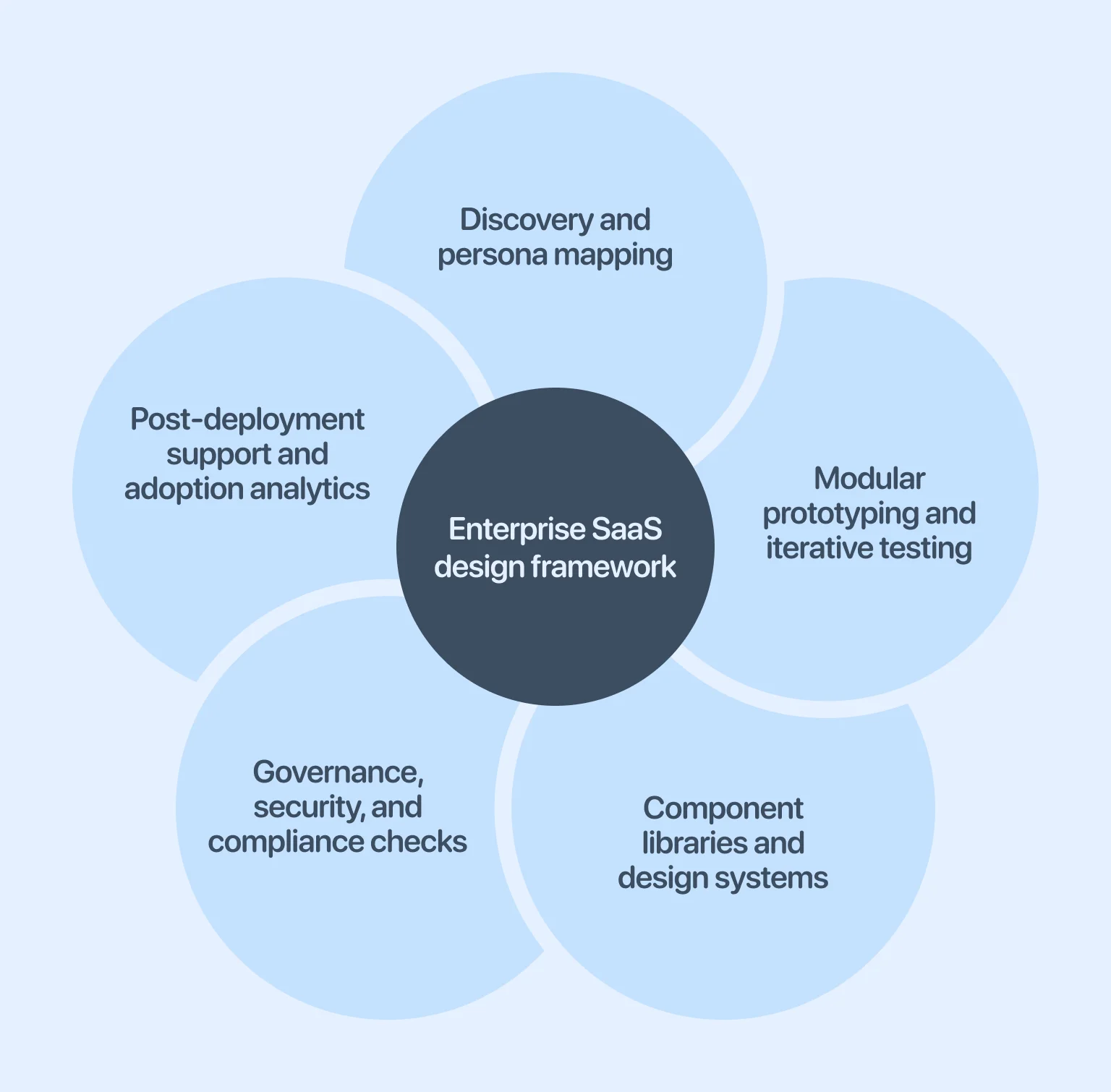
Creating effective corporate product design requires structure, not improvisation. Here is a clear framework where each stage builds on the previous one, with insights gained during research carried through to deployment and post-launch support.
Every enterprise product serves multiple roles, each with different priorities. Early discovery with stakeholders and users uncovers these nuances, and persona mapping turns them into actionable design references. Grounded in real workflows, these personas keep design decisions relevant throughout the product lifecycle.
Large platforms benefit from modular experimentation. By breaking the product into functional units, teams can prototype, test with real users, and adapt before scaling. Each iteration builds evidence, letting the product evolve based on feedback rather than static planning.
In enterprise environments, consistency drives efficiency and reduces training costs. Component libraries and design systems can help achieve it. They provide reusable elements, speed up development, reduce maintenance, and create a shared vocabulary, forming a living system that supports scalable growth.
Security and governance can’t wait until launch. Embedding compliance — access controls, encryption, logging, and audits — into each design stage protects trust, prevents costly rework, and ensures updates align with regulatory obligations.
“When integrations fail, users don’t blame the connector — they blame the entire product.”
Design doesn’t end at release. Post-deployment monitoring shows how features are actually used, highlighting which workflows succeed, where adoption lags, and how different user groups interact. Coupled with support — documentation, guides, and feedback — these insights drive continuous improvement rather than static releases.
Ultimately, every enterprise platform promises efficiency, but only a few deliver it at scale. The difference lies in where complexity lives. When systems push it onto users, adoption slows, workarounds emerge, and value erodes. When design absorbs complexity through clear structures, intelligent defaults, and adaptive interfaces, software earns trust across the organization.
As AI-driven UX, predictive personalization, and modular architectures mature, enterprise teams gain new tools to manage scale without overwhelming users. Technology alone, however, is not sufficient. Long-term success depends on continuous alignment between product design, operational reality, and business goals. Enterprise SaaS that achieves this becomes embedded in daily workflows and supports sustainable organizational performance.
It allows a single software instance to serve multiple organizations without sacrificing security or performance. Besides, it reduces infrastructure costs, simplifies updates, and ensures faster deployment across different clients. For enterprises, it provides the flexibility to scale while keeping each tenant’s data isolated.
AI enhances experience by automating repetitive tasks, predicting client needs, and surfacing relevant insights at the right time. Features such as intelligent search, virtual assistants, and adaptive dashboards help employees complete tasks faster and with fewer errors.
They create consistency across complex applications, speed up development, and maintain usability. For enterprises, this reduces training time, improves reliability, and supports the product’s long-term scalability.
DAPs embed guidance directly into the software interface, walking customers through tasks with interactive prompts. This reduces the learning curve for new employees and improves adoption rates across large organizations.
You can measure success through adoption rates, task completion, and user satisfaction. Feature usage and workflow efficiency show whether the product supports real enterprise needs. Long-term retention and fewer support issues also signal that the design is working well.