



Unlocking the full potential of the Umano product — from design to development


Tech analytics company that provides real-time insights into teamwork practices for continuous growth
Umano is an Australian tech company that aims to enhance cooperation between team members in different spheres. Its platform provides all the necessary data for analyzing current work on projects, leading to overall success.
With a “plug and play” approach, its space integrates with existing tools like Jira, Slack, and GitHub. This data fuels automated guidance, helping self-managed agile teams continuously improve and reach peak performance.
Tech analytics company that provides real-time insights into teamwork practices for continuous growth
Umano is an Australian tech company that aims to enhance cooperation between team members in different spheres. Its platform provides all the necessary data for analyzing current work on projects, leading to overall success.
With a “plug and play” approach, its space integrates with existing tools like Jira, Slack, and GitHub. This data fuels automated guidance, helping self-managed agile teams continuously improve and reach peak performance.
- 25+
agile success metrics to visualize and measure teamwork - 8+
integrated trusted delivery tools
Challenge
Teams across companies face hurdles like manual reporting, disconnection in distributed work, and under-resourced managers. These challenges hinder them from achieving excellence and sustainability. Here’s where the need for a single, intuitive tool encompassing all the vital data for work efficiency becomes apparent.
Transforming insights into the impact
Clear interfaces are crucial for user acceptance across any product. Recognizing that visual representation aids comprehension, we prioritized integrating clear, informative tables and graphs without visual noise.
Due to the platform’s feature-rich nature, our focus was on intuitive navigation. Detailed toolkit and settings capabilities became key elements in achieving this, ensuring users could easily access and utilize the vast functions.

Innovative design approaches
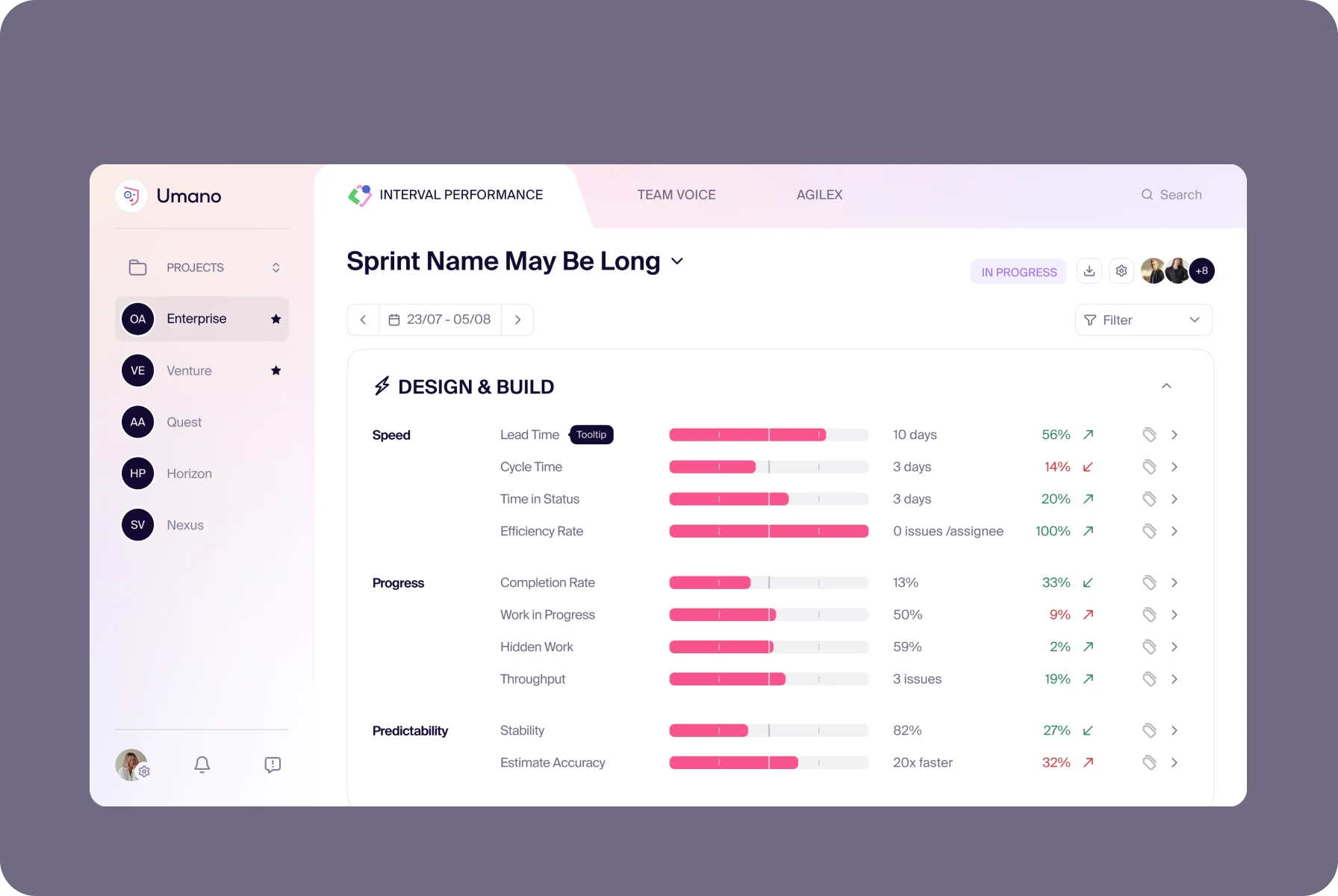
Inspired by a well-organized folder, our first concept features clean lines and gradients, enhancing visual focus and clarity. With this variation, we offered streamlined application functionality without clutter.
Once most of the app’s functionality was complete, we created the second concept with wireframes for new features. Here, we used a clean white backdrop and kept visual noise to a minimum, emphasizing the elegance of the interface.
{{slider-1}}
User experience designed for agility
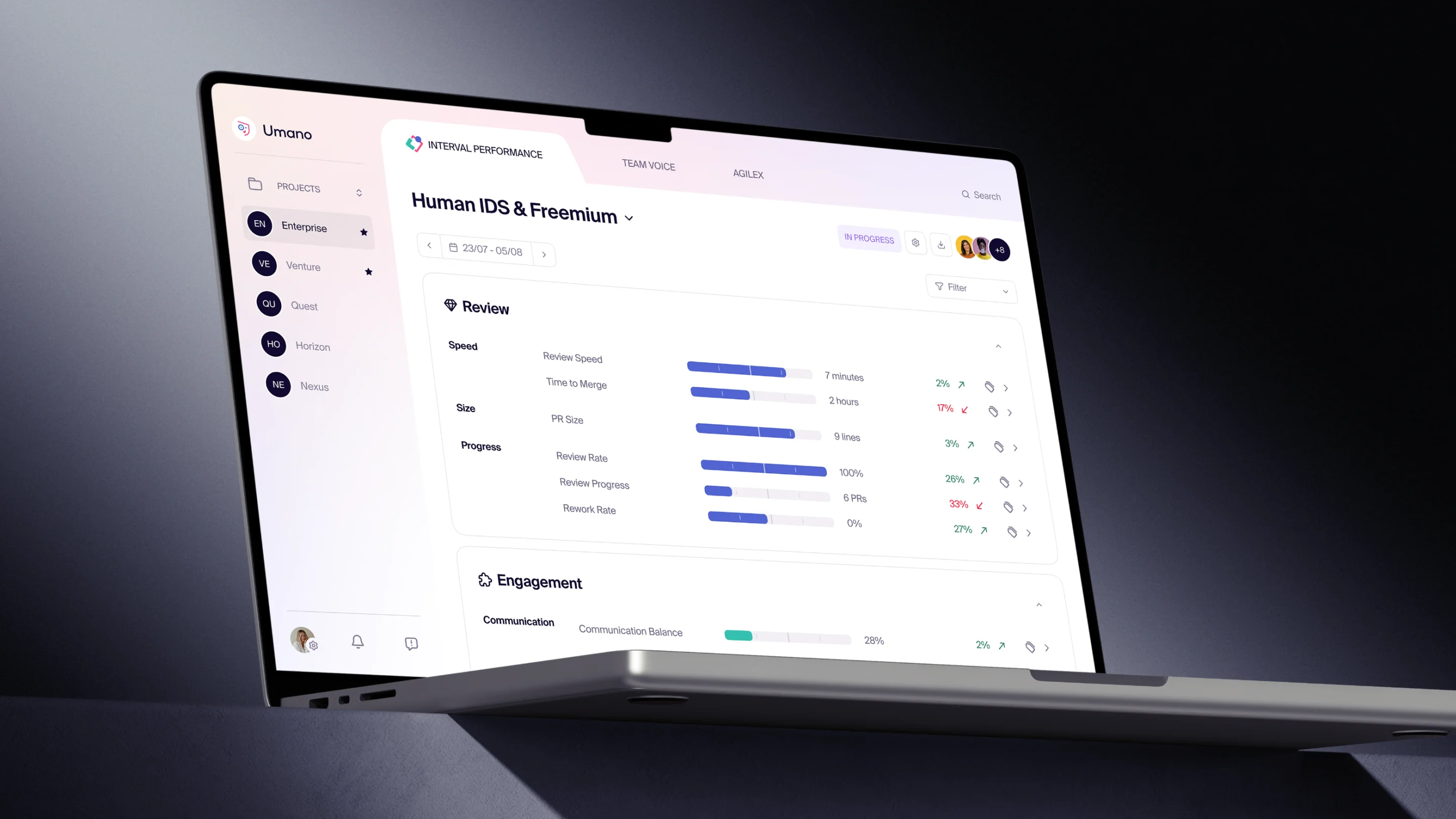
Our goal was to give Umano a unique look and feel that pleases the eye. For this, we worked on gradients, applying them to the main page background while keeping other areas clean and minimalistic.
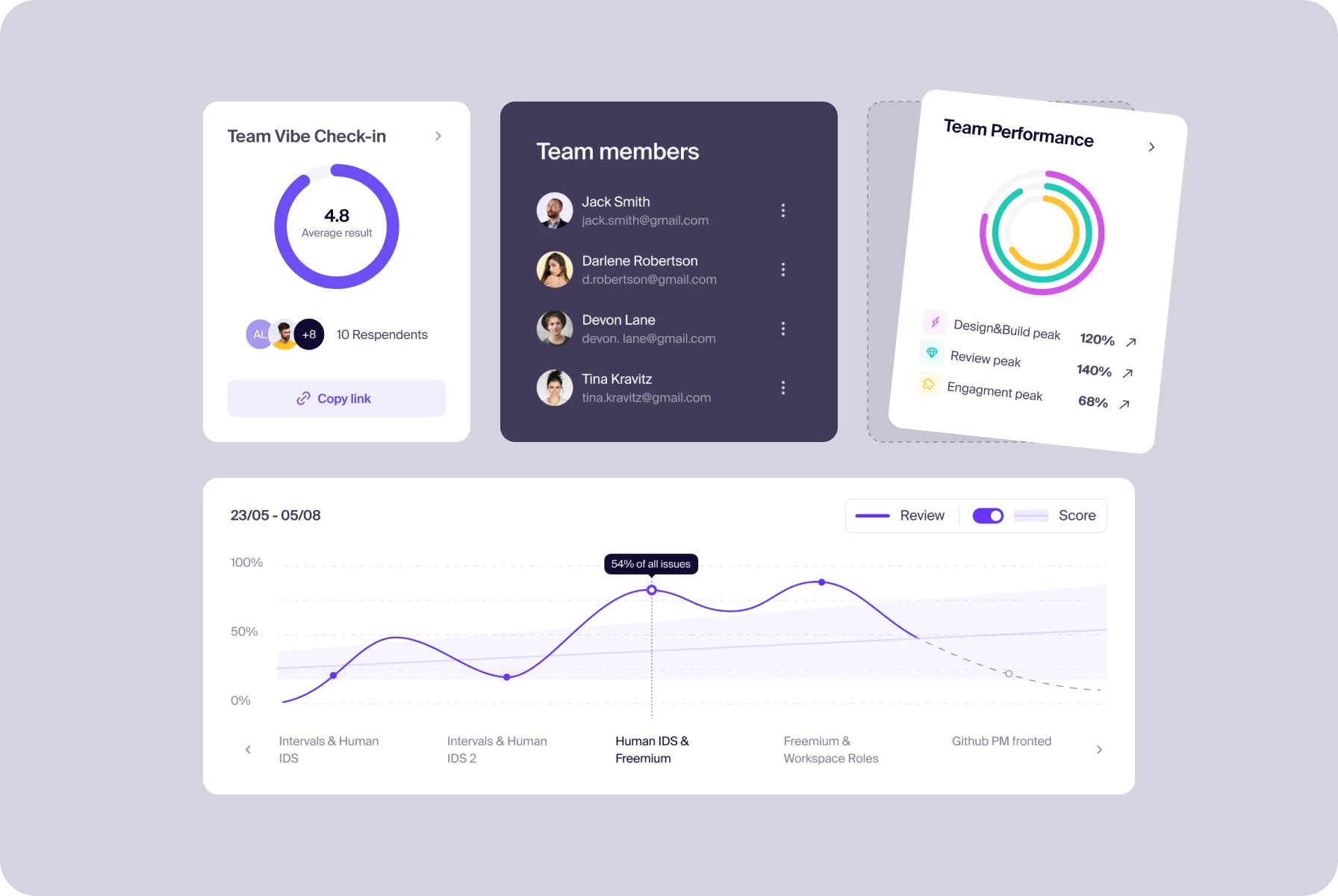
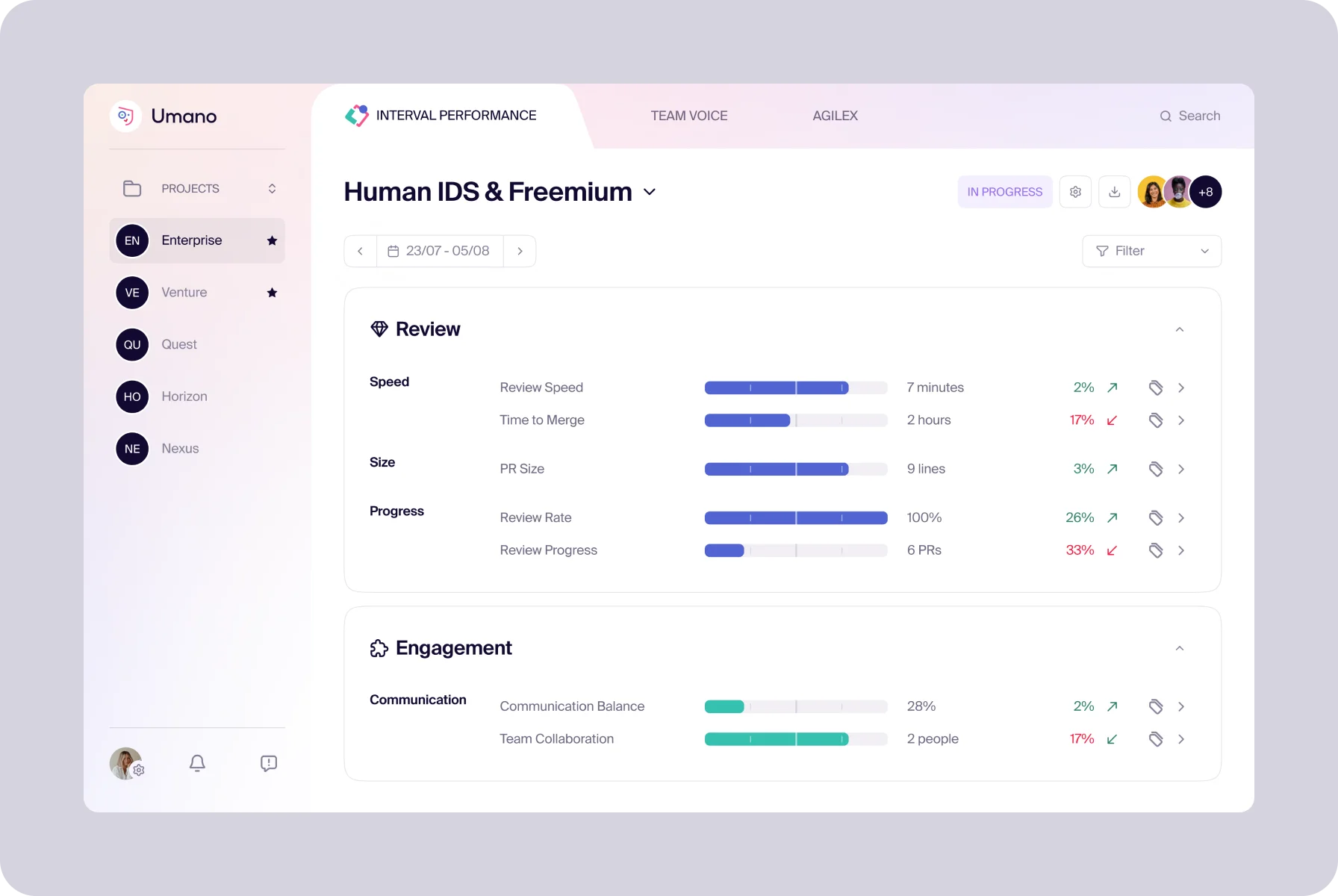
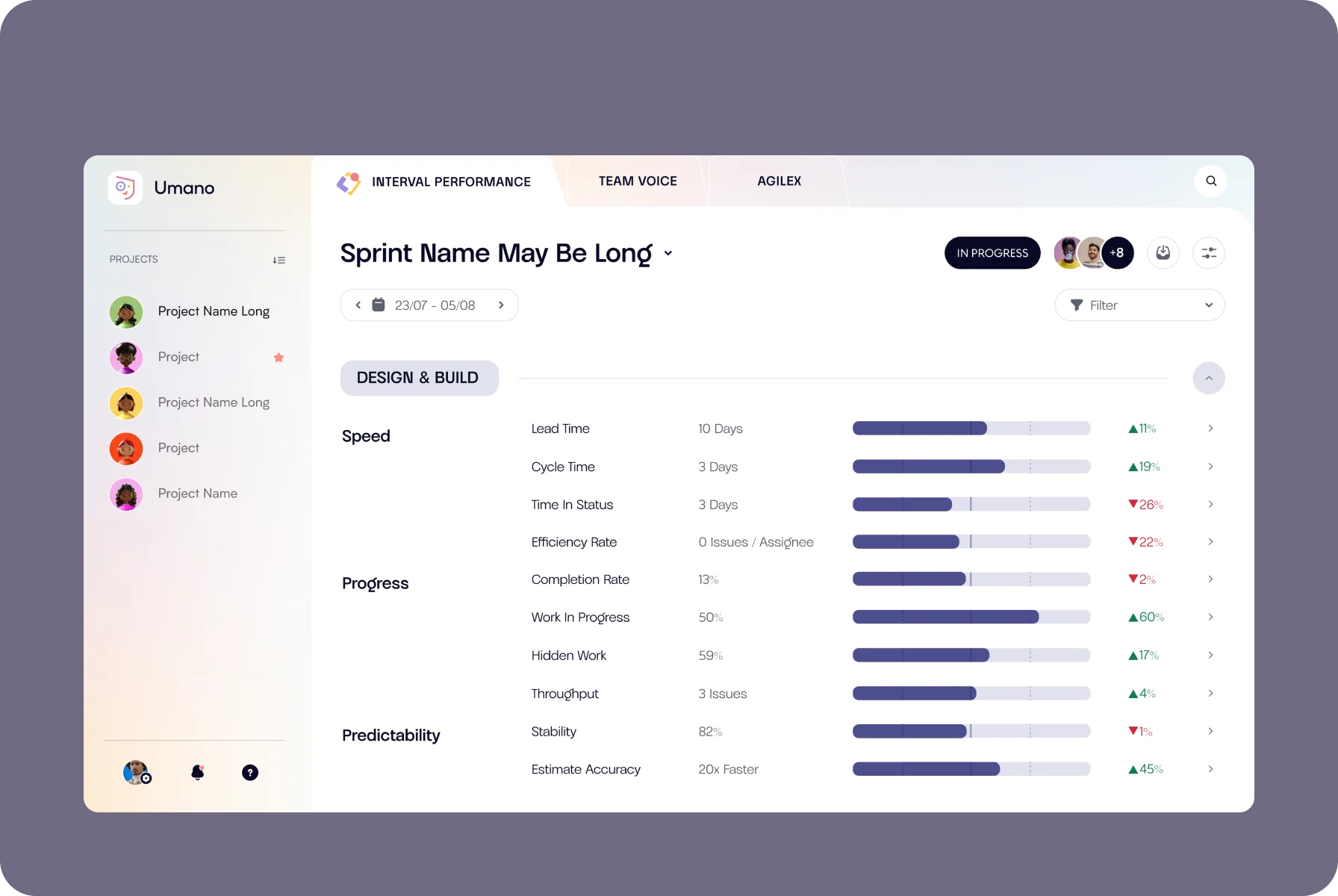
To help users see their high and low efficiency areas, we added clickable items with dynamics figures in the metrics blocks. For better data viewing, we rebuilt tables and charts in a clear layout without distracting elements.
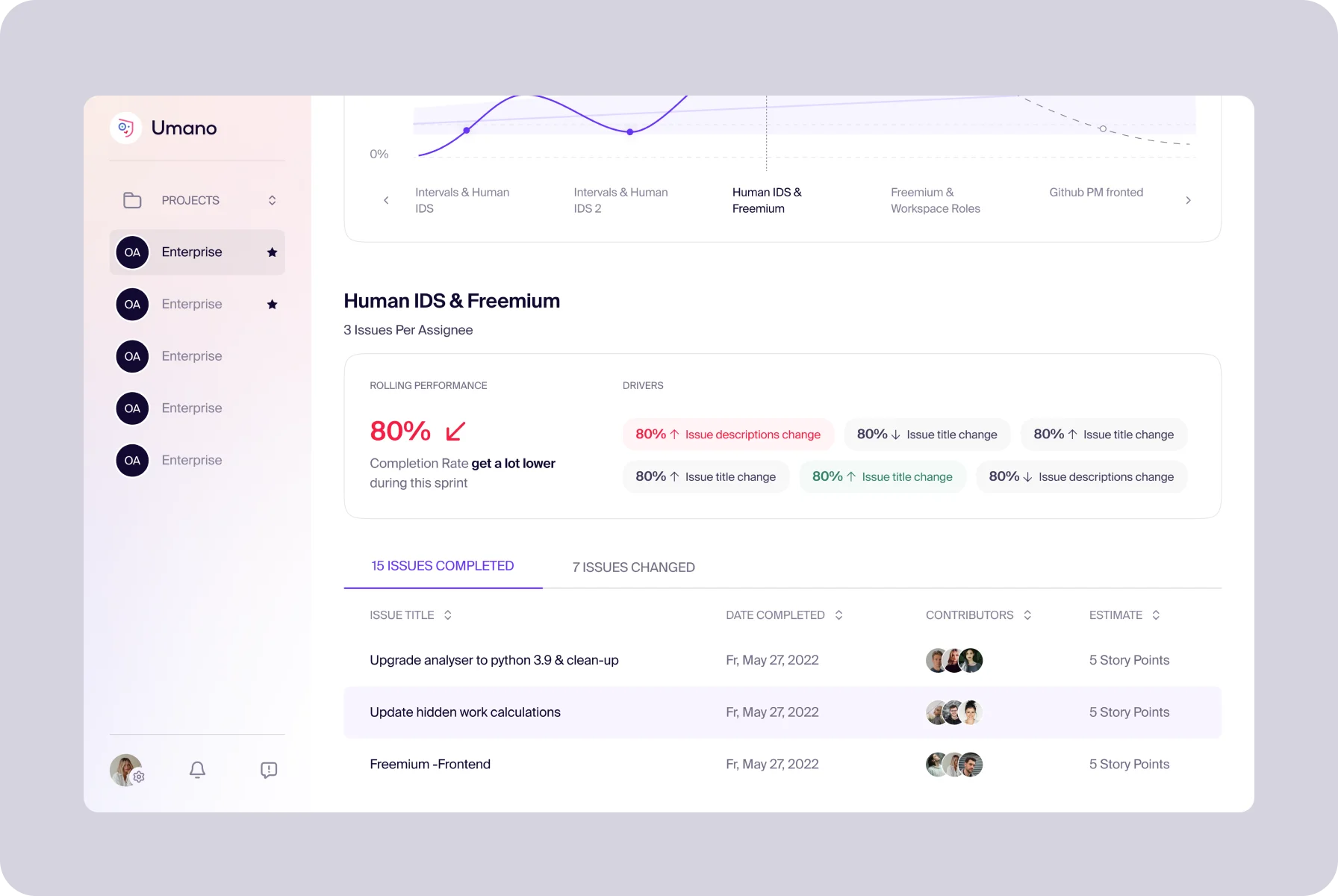
We wanted a design that wouldn’t overwhelm users with data. Clear visuals with data became key — like a cheat sheet for peak performance.
{{dana-l}}
Implementing new features
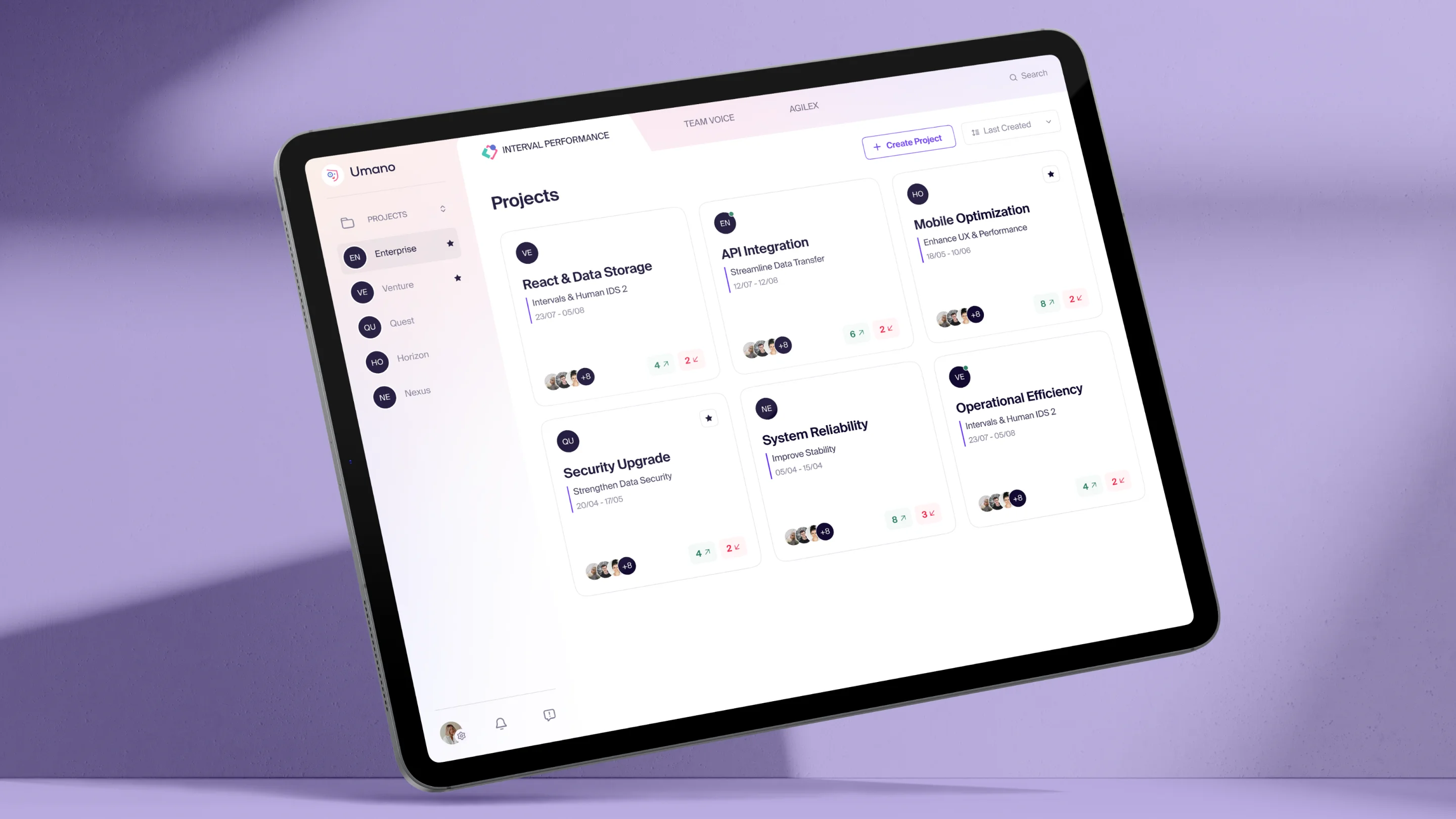
In fruitful collaboration with the client, we added new features to his product. We developed the Project Overview page, where users can add or edit their projects. Next, we combined it with the Metric page of graphs and tables.
To enable teams to analyze and discuss the work progress in one place, we created pages such as the Active Cycle and Macro Cycle. These cover Scrum and Kanban iterations and also help teams plan their steps in the perspective.
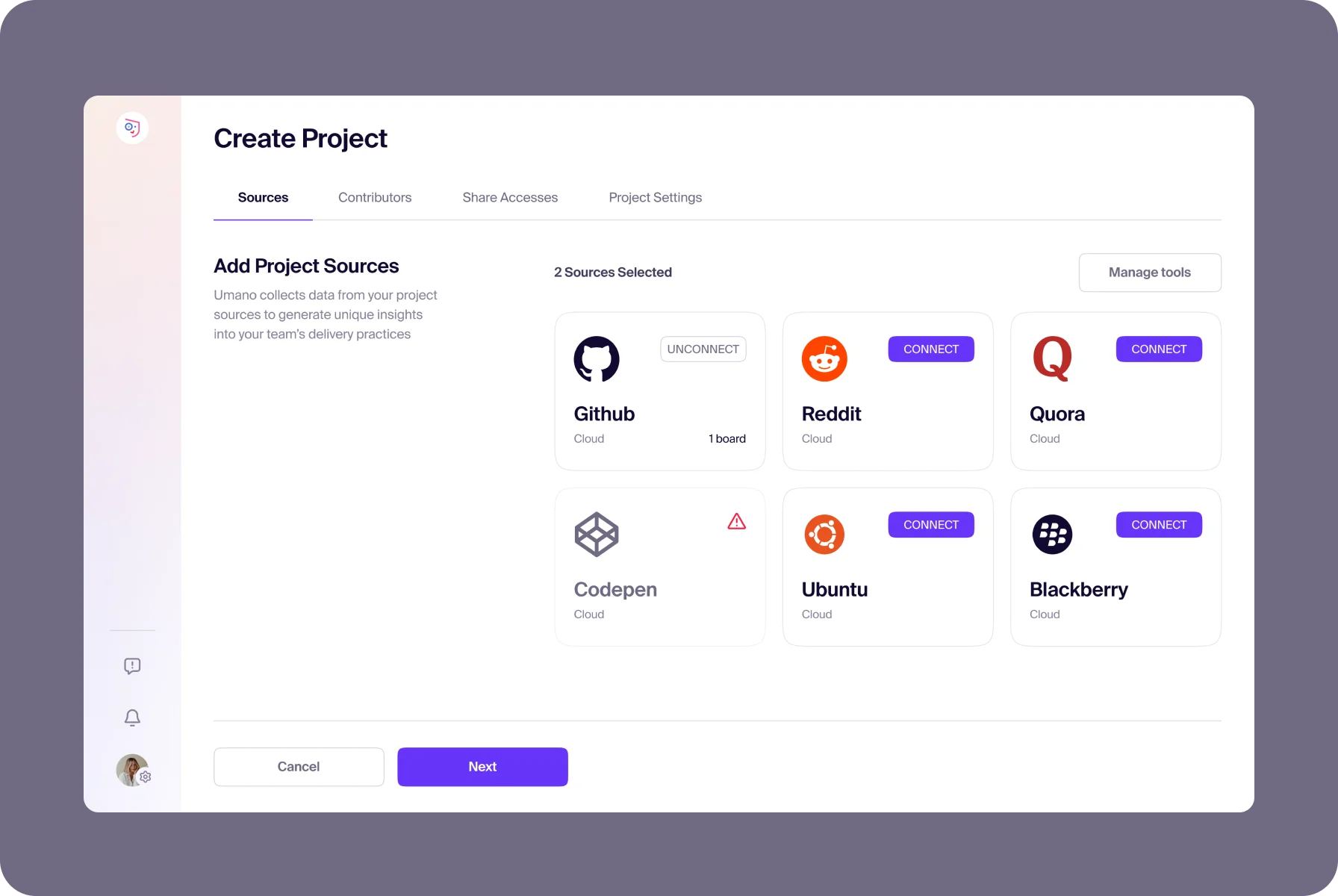
We amplified the platform with program-generated tips, making it easier for teams to analyze how to improve their results and future projects
{{dana-l}}
Revamping the platform with innovations
The product was initially hosted on AngularJS, but for more flexibility, we migrated it into React. To make further decisions on the function’s usefulness, our team took the PoC approach, testing features online by real users.
While preserving key functions, we also added custom solutions. Our developers displayed AngularJS and React projects in one application to exchange data between them, using a method for state synchronization.
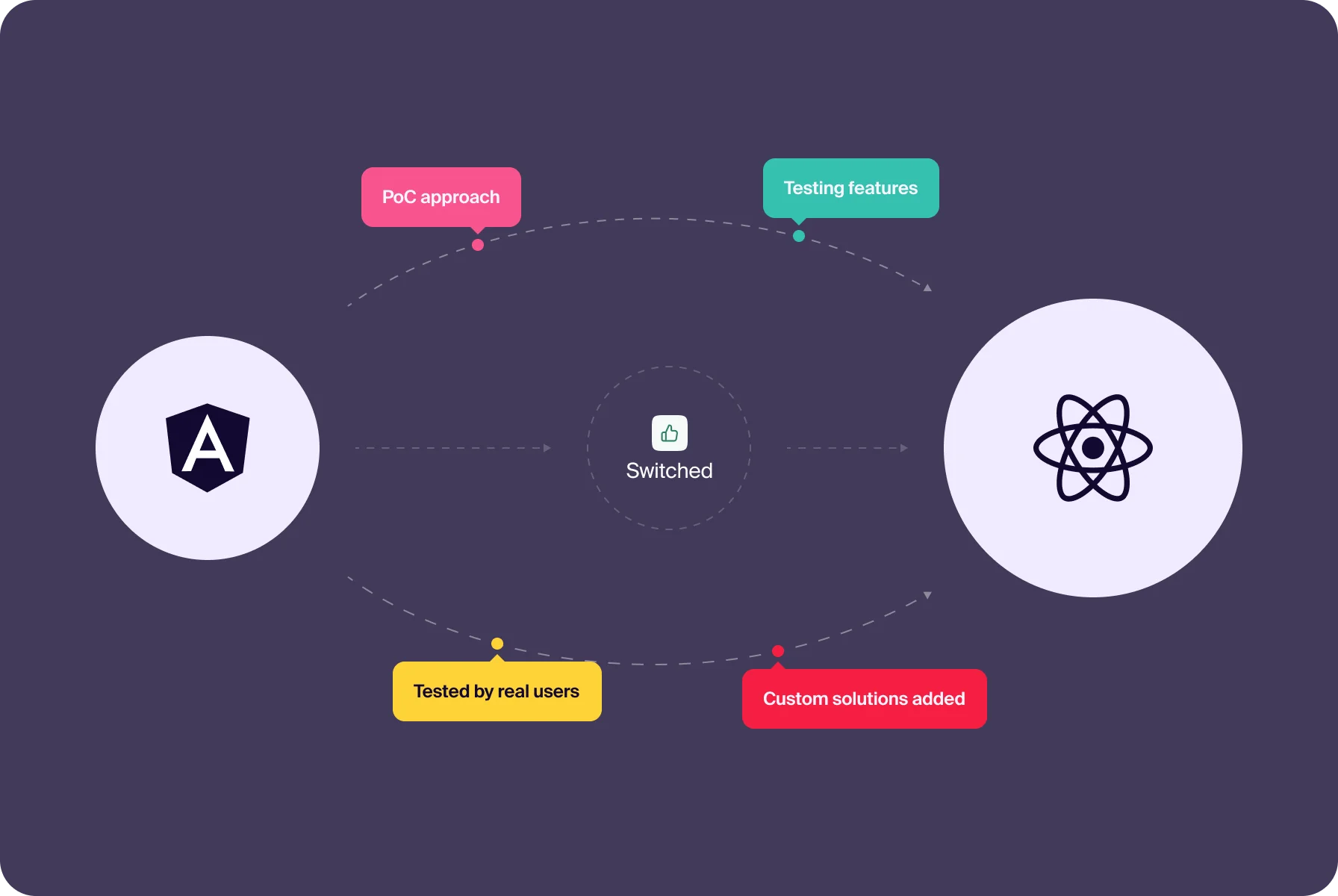
Our custom solution, such as app-wide synchronization of AngularJS with React, helped ensure a smooth integration of new features.
{{aleksandr-t}}
Ensuring flawless functionality
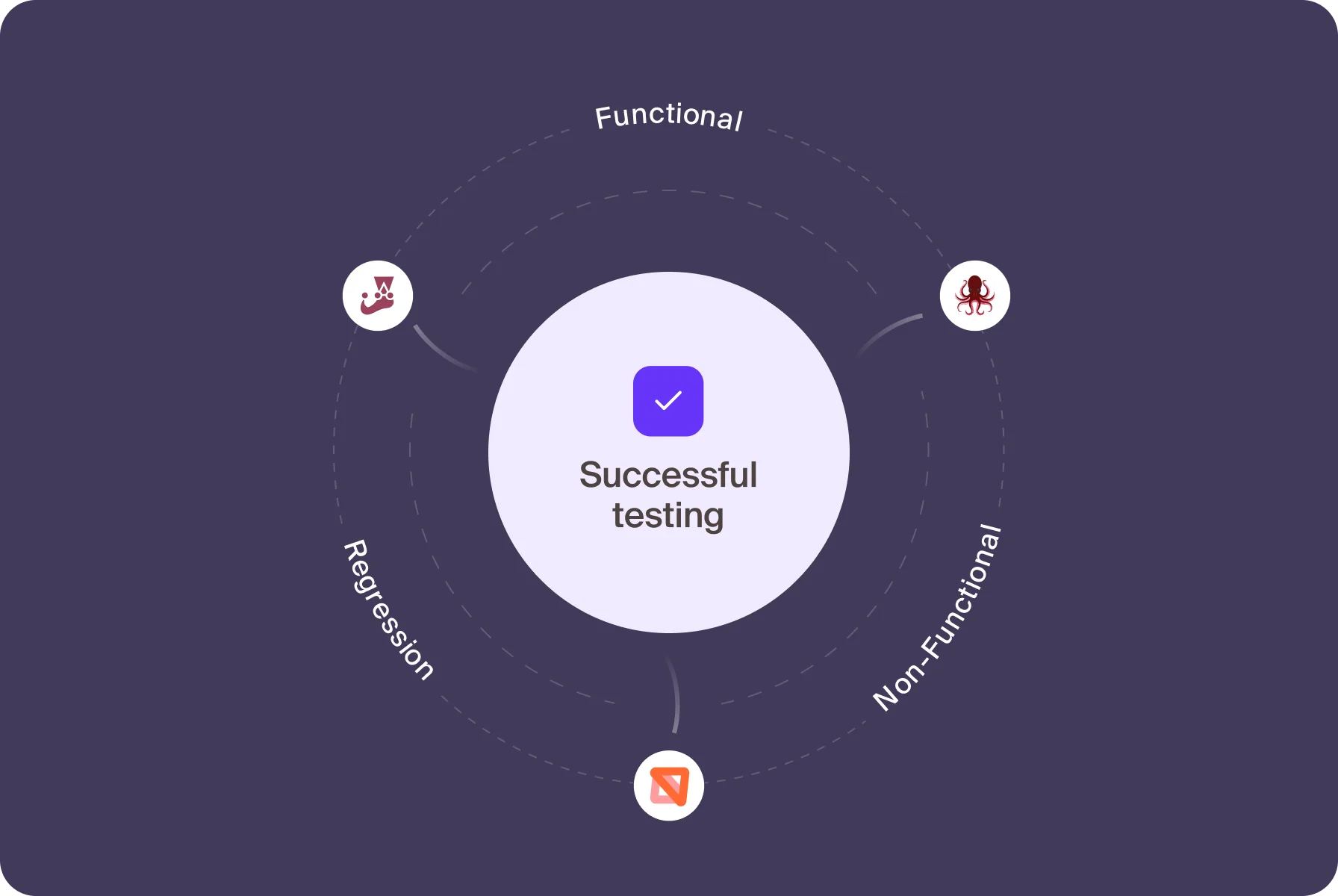
We kicked off QA with Static and UI/UX Testing — scouring specs and ensuring every pixel and interaction matched design intents across devices. To automate testing and ease workloads, we used MSW, Jest, and Testing Library tools.
Then, our team tackled Functional, Non-Functional, and Regression Testing, verifying that every feature performed perfectly. With testing docs, we kept our process clear and on track, ensuring no bugs made it through the net.
Unfolding features release by release
For the initial release, we launched what the client had, blending old and new designs. It was tricky as we juggled between two frameworks, keeping Angular and React versions linked by a web of redirects until all was ready.
With each release, we added core features like Tracker, Planner, and Reviewer in Active Cycle, Team Vibe with polls, and Macro Cycle with its toolset. This established a solid foundation for future enhancements.
This project was exhilarating! Our team actively used the product during development, enhancing our workflow and understanding its functionalities. The challenge lay in managing features. We carefully planned their hierarchy, and by the end of the design phase, we had several solutions, choosing the best one without regrets.


Ready to discuss
your project with us?

Logo creation
Crafting a design with detailed functionality

Colors & typography
Vibrant palette, modern fonts
We took cues from the client’s logo colors and tweaked them for a sleeker look. As a result, our evolved palette exudes positivity with a hint of sophistication. To balance these tones, we chose the Suiss Int’l typeface for its crisp lines and unobtrusive letterforms.

Metrics & charts
Data storytelling with visual clarity
We redesigned over 15 unique tables and customizable charts that bring productivity metrics to life. Our mission was to squeeze mountains of data into sleek spaces that would be responsive across all screens. To avoid confusing users, we also added unique shades for each metric.

Animation & graphics
Additional elements for engaging design
To spice up user interactions, we included dynamic animations like hover effects and interactive spinners. Plus, our team sprinkled abstract illustrations for some pages (e.g., error state), balancing compositions and guiding users through the platform’s pages and settings.

Workspace and its settings
Comfort space for bringing ideas to life
We enhanced the client’s initial version of Workspace by improving its navigation and adding settings. Here, users with organizational roles of Admin, Project Owner, or Manager can seamlessly manage projects, sources, spaces, and contributors and integrate needed issue trackers.
Logo creation
Agile toolkit for modeling teams’ performance

Active Cycle & Macro Cycle
We created these pages so that users can review the current cycle and move on to widgets or charts. Here, they can find the three main tools: Planner, Tracker, and Reviewer, which allow them to plan agile sprints or long-term goals, such as quarters, half a year, or a year one.

Planner
Our team built this feature from the ground up with the customer’s developers. It has three components: the Planning Guide helps teams create plans, the Planning Inputs widget shows the numbers needed, and the Completion Predictions table predicts completion times.

Team Vibe
We developed this feature so that teams could inspect all aspects of their performance. It consists of a poll rating and open-text questions so that users can share their feelings in the context of their engagement and joint work experience and thus be prepared to take precise actions.

Team Input
To enhance the team experience, we introduced Team Input. This feature serves as a traditional tool for retrospective meetings. For this, it helps teams capture their reflections by asking them three questions about how they think they performed for the iteration just completed.

Ojo Insights
While working closely with the client on the platform’s toolkit, we expanded the automated assistant Ojo. It analyzes metrics and gives hints on where to investigate and take action to level up. For best guidance, we embedded Ojo Insights in Reviewer for Active and Macro Cycles.

Goals, Guardrails, and Practices
We introduced these three components to help teams stay focused on continuous improvement. Goals set the target scores for metrics, while Guardrails define ranges for feature performance, and Practices codify the team’s way of working.
Logo creation
Stacking success with top tech

TypeScript
TypeScript gave us professional control over our data-heavy application. It ensured that updates were consistent across the project as our API evolved with new features. Plus, it made sure every piece of data was right where it needed to be.

React
We chose React for its widespread popularity and the wealth of ready-to-implement solutions it offers, supported by a vast community ready to tackle any issue. This technology significantly sped up our development process and reduced potential bugs.

React Query & Axios
React Query and Axios streamlined our backend interactions, adding swift caching and simplifying API requests. This dynamic duo reduced server load and sped up page responses, acting like a turbo boost for our app’s performance.

Stripe
Stripe was our go-to for payment processing, as per the client’s requirement. We migrated the logic from the previous app, ensuring a smooth financial transition. Thus, the solution kept the cash flow intact and decked out the new app with top-notch transaction security.

MobX
MobX was our choice for managing auxiliary states within the app. While all state managers perform similarly, MobX stood out for its straightforward, efficient state orchestration, keeping our app’s data flow clean.

Day.js
We used Day.js as it is adept at handling the tricky business of dates and times. By offloading the intricacies of date manipulations to this nimble library, we saved valuable coding hours and drastically cut down on bugs, keeping our timelines in check.

SCSS modules
SCSS modules helped us encapsulate component aesthetics into standalone files. They boosted app optimization and reduced cognitive load, allowing developers to focus purely on logic. Plus, they ensured our styles were as clean and contained as our code.